
Audio Joiner
An audio merger that runs in your browser: add files, put them in order, choose back to back, a gap or a crossfade, and download one WAV. No upload, no sign-in.
Add two or more files: MP3, WAV, FLAC, M4A, AAC or OGG, up to 50 MB each. They are joined in the order shown.
Free, no sign-in. Files are joined in your browser and never uploaded.
Your joined file appears here
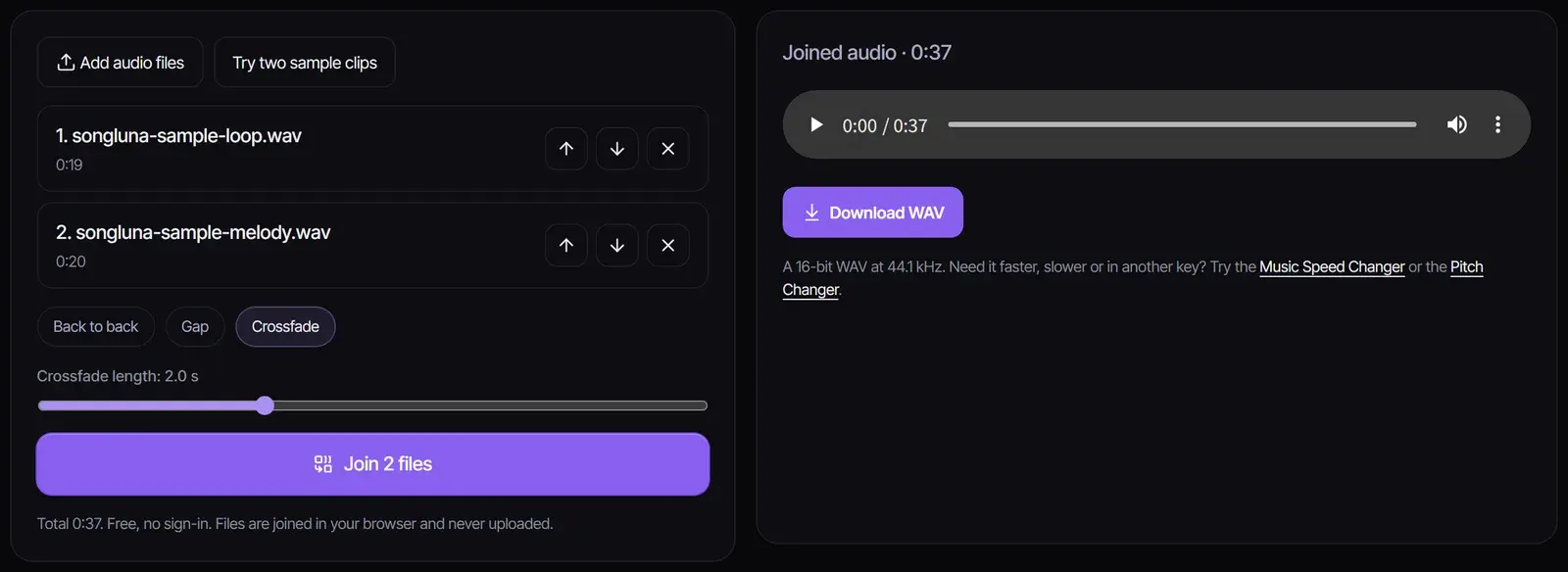
Put the files in order, choose back to back, a gap or a crossfade, and join them into one WAV you can play here and download.
How to merge audio files
- 1
Add your files
Add two or more MP3, WAV, FLAC, M4A, AAC or OGG files, up to 20 files of 50 MB each. You can add more at any time, and mixing formats is fine.
- 2
Put them in order and pick a transition
Use the arrows to move files up or down. Choose back to back, a gap of silence or a crossfade, and set its length from 0.5 to 5 seconds.
- 3
Join and download
Select Join, listen to the result, and select Download WAV. The joined file can be up to 15 minutes long.
Back to back, gap or crossfade
| Transition | What it does | Good for |
|---|---|---|
| Back to back | Each file starts the moment the last one ends | Recordings split into parts, audiobook chapters, a continuous mix of edits |
| Gap | Adds 0.5 to 5 seconds of silence between files | Podcast segments, voice notes, practice tracks, a playlist with pauses |
| Crossfade | Fades one file out while the next fades in, 0.5 to 5 seconds | Songs in a mix, background music, smooth transitions between loops |
Crossfades use equal power, so the volume stays even through the transition. A fade is never longer than half of the shorter file.
Merge MP3, WAV and other formats
To join MP3 files, WAV files or a mix of both, add them all; every file is decoded at 44.1 kHz, so different sample rates and formats join cleanly. The result is a 16-bit WAV, which plays everywhere and keeps full quality. Stereo files stay stereo, and a mono file in a stereo mix plays in both ears.
Your files stay on your device
The audio joiner decodes and combines files inside your browser tab. Nothing is uploaded, there is no account and no watermark, and the files are gone when you close the tab.
After you combine audio files
Change the tempo of the joined track with the Music Speed Changer, move it to another key with the Pitch Changer, or make a slowed version with the Slowed and Reverb Generator. Need an intro or outro to join? The AI Music Extender writes new sections that match a song.
Frequently asked questions
How do I combine audio files into one?
Add the files, put them in order with the arrows, choose back to back, a gap or a crossfade, then select Join and download the WAV.
Is the audio joiner free?
Yes. It runs in your browser, uses no credits and needs no account.
Can I merge MP3 files?
Yes. MP3, WAV, FLAC, M4A, AAC and OGG files can be joined, in any mix. The result is one WAV file.
Are my files uploaded?
No. They are decoded and joined on your device and never leave your browser.
How many files can I join?
Up to 20 files of 50 MB each, as long as the joined file is no longer than 15 minutes.
Can I download the result as MP3?
The joiner exports WAV, which keeps full quality and plays everywhere. Any audio converter can turn it into an MP3 if you need a smaller file.
Updated October 31, 2026 · Written and reviewed by the Songluna AI team
Make music to join
Create songs with the AI song maker. New accounts get 8 free credits.