
Lyrics Extractor
Song to lyrics in one step: upload audio you own or may use and get lyrics from audio as timed, line-by-line text you can review, copy or export. AI lyrics transcription, not a lyrics database.
How to extract lyrics from a song
- 1
Upload the song
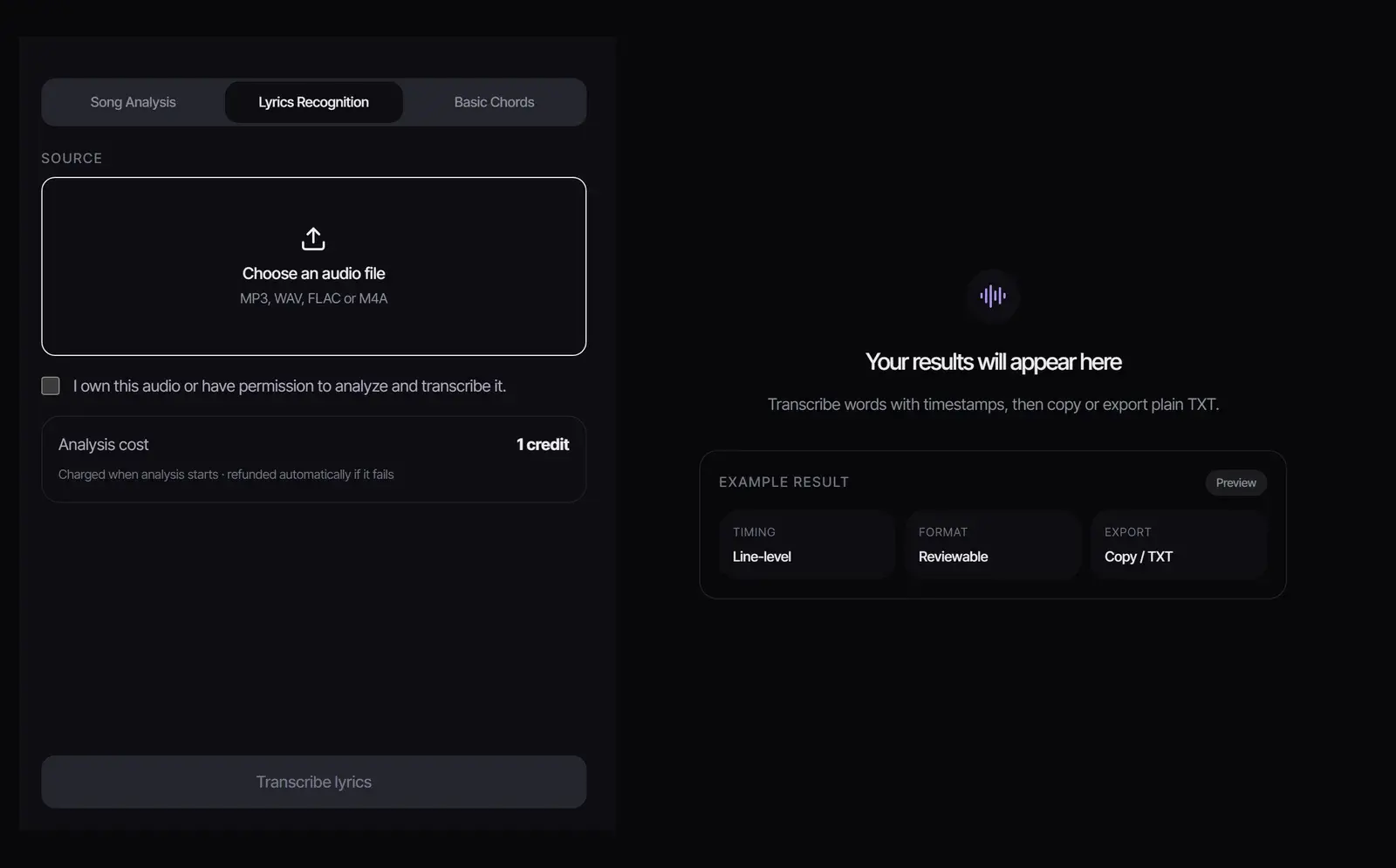
Choose an MP3, WAV, FLAC or M4A file and confirm you own the audio or have permission to transcribe it.
- 2
Transcribe the lyrics
Select Transcribe lyrics. It costs 1 credit, charged when it starts and refunded automatically if it fails.
- 3
Review, copy or export
The lyrics appear line by line with timestamps. Correct anything misheard, then copy them, export a TXT file, or export an LRC file with the timings for synced lyrics.
How AI lyric transcription works
This audio to lyrics transcriber listens for the sung words under the music and writes them out line by line, with the time each line starts. AI song transcription works like speech recognition tuned for singing, so anything that hides the voice also makes the lyrics harder to hear.
For a busy mix, separate the vocal first with the Vocal Remover, then transcribe the a cappella.
Accuracy and limits
- Best: one clear lead vocal over a clean mix.
- Harder: fast rap, heavy effects or distortion, stacked harmonies and backing vocals singing different words.
- Check by hand: names, slang, made-up words and repeated ad-libs.
- Timing: timestamps are per line, not per word.
Treat the result as a draft and read it through before you use it anywhere.
What people do with extracted lyrics
- Learn the words of a song you are rehearsing or recording.
- Turn the lyrics of your own demo into text you can edit and send to collaborators.
- Rewrite a verse, then put new words into the recording with the AI Lyrics Changer.
- Start a new song from your own words in the AI Lyrics Generator.
Other ways to get the lyrics of a song
- A released song: streaming apps such as Spotify and Apple Music show licensed lyrics for many songs, and they are more reliable than any transcription.
- An unreleased song, a demo or your own recording: there are no published lyrics, so transcribing the audio is the way to get them as text. That is what this lyrics extractor is for.
- Lyrics with timing for karaoke or a lyric video: transcribe here and export LRC, or sync lyrics you already have with the LRC Generator.
Lyrics belong to their writers
Transcribing your own songs, or songs you have permission to use, is straightforward. The lyrics of published songs are protected by copyright: reading them for practice is one thing, but publishing or selling a transcription needs a license from the writers or publishers.
Frequently asked questions
How do I extract lyrics from a song?
Upload the audio file, confirm you may transcribe it, and select Transcribe lyrics. The lyrics appear line by line with timestamps, ready to copy or export as TXT or LRC.
Is the lyrics extractor free?
Each song costs 1 credit. New accounts get 8 free credits without a credit card, so you can transcribe up to eight songs for free.
Does MP3 to lyrics work?
Yes. MP3, WAV, FLAC and M4A files all work. The cleaner the vocal, the more accurate the lyrics.
Can I get the lyrics from a YouTube video?
Upload audio files only. Save the audio from a video you have the rights to, then upload it here.
Does it give timestamps?
Yes, one timestamp per line. Copy the lyrics, export a TXT file, or export an LRC file that keeps the timing.
How accurate is it?
Very good on clear lead vocals and weaker on fast rap, heavy effects and overlapping voices. Separate the vocal first for a cleaner result, and check the text before you use it.
Updated October 26, 2026 · Written and reviewed by the Songluna AI team
Try Lyrics Extractor free
New accounts get 8 free credits. No credit card required.