
LRC Generator
A free LRC maker: sync lyrics to a song and download a timed .lrc file. Play the track, tap once as each line begins, then fine-tune any timestamp by hand.
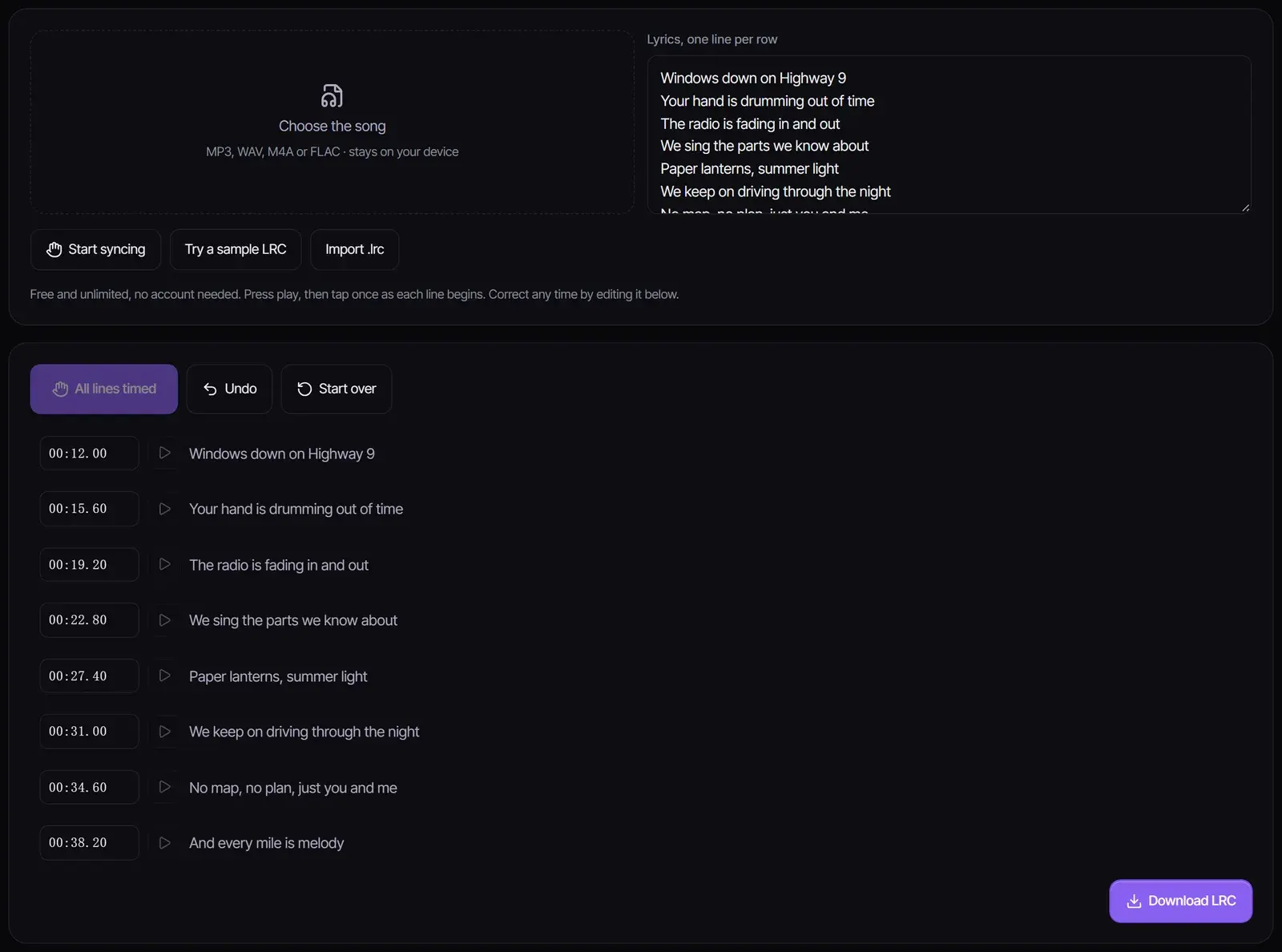
Free and unlimited, no account needed. Press play, then tap once as each line begins. Correct any time by editing it below.
Your timed lyrics will appear here
Add the song and the lyrics, then select Start syncing. Already have an LRC file? Import it to fix its timing.
How to make an LRC file
- 1
Add the song and the lyrics
Choose the audio file and paste the lyrics with one line per row. The audio plays in your browser and is never uploaded. To fix an existing file, import the .lrc instead.
- 2
Tap as each line begins
Select Start syncing, press play, and select Tap the moment each line starts. Made a mistake? Undo steps back one line.
- 3
Fine-tune and download
Edit any timestamp in the mm:ss.xx box, play from a line to check it, and select Download LRC.
What an LRC file is
LRC is a plain-text lyrics format with a timestamp in front of each line, such as [00:12.00]Windows down on Highway 9. Media players, karaoke apps and lyric-video tools read the timestamps to show each line as it is sung.
[ti:Paper Lanterns]
[00:12.00]Windows down on Highway 9
[00:15.60]Your hand is drumming out of time
[00:19.20]The radio is fading in and out
[00:22.80]We sing the parts we know about
LRC generator or AI transcription?
| This LRC generator | Lyrics Extractor | |
|---|---|---|
| You provide | The song and the lyrics | The song only |
| How lines are timed | You tap as each line starts | AI recognizes the words and times each line |
| Cost | Free, unlimited | 1 credit per song |
| Best for | Exact timing of lyrics you already have | Getting the lyrics and timing in one go |
Use the Lyrics Extractor to transcribe a song and export LRC, then import that file here to fine-tune any line.
Tips for accurate timing
- Tap slightly early: lines read better when they appear just before the singer starts.
- To sync lyrics to a song with a long intro, scrub the player to just before the first line before you start tapping.
- Keep one sung phrase per line; split very long lines in the lyrics box before syncing.
- Listen back with the play button on each line and nudge times by editing the box.
- Leave instrumental breaks out of the lyrics; the previous line simply stays on screen.
Using lyrics you have the right to use
Syncing lyrics for personal listening is common, but publishing lyrics of someone else’s song, for example in a lyric video, needs a license from the writers or publishers. Your own songs are yours to sync and share.
Frequently asked questions
How do I create an LRC file?
Add the song and paste the lyrics, select Start syncing, tap as each line begins, then select Download LRC.
Is the LRC generator free?
Yes. It runs in your browser with no account and no limit, and the audio is not uploaded.
Is there an automatic MP3 to LRC option?
Yes, with the Lyrics Extractor: it transcribes the song for 1 credit and exports LRC with a timestamp for each line. Import the file here to adjust it.
Can I edit an existing LRC file?
Yes. Select Import .lrc, edit the timestamps or re-tap lines, and download the corrected file.
What timestamp format does it use?
Minutes, seconds and hundredths, as in [01:15.50], which most players and lyric tools expect.
Does it support word-by-word timing?
No. It times each line, which is what standard LRC players display.
Updated October 24, 2026 · Written and reviewed by the Songluna AI team
Need the lyrics too?
The Lyrics Extractor transcribes a song with timestamps for 1 credit. New accounts get 8 free credits.