Make more music.2 months free on annual plansExplore plans
AI Singing Voice Generator
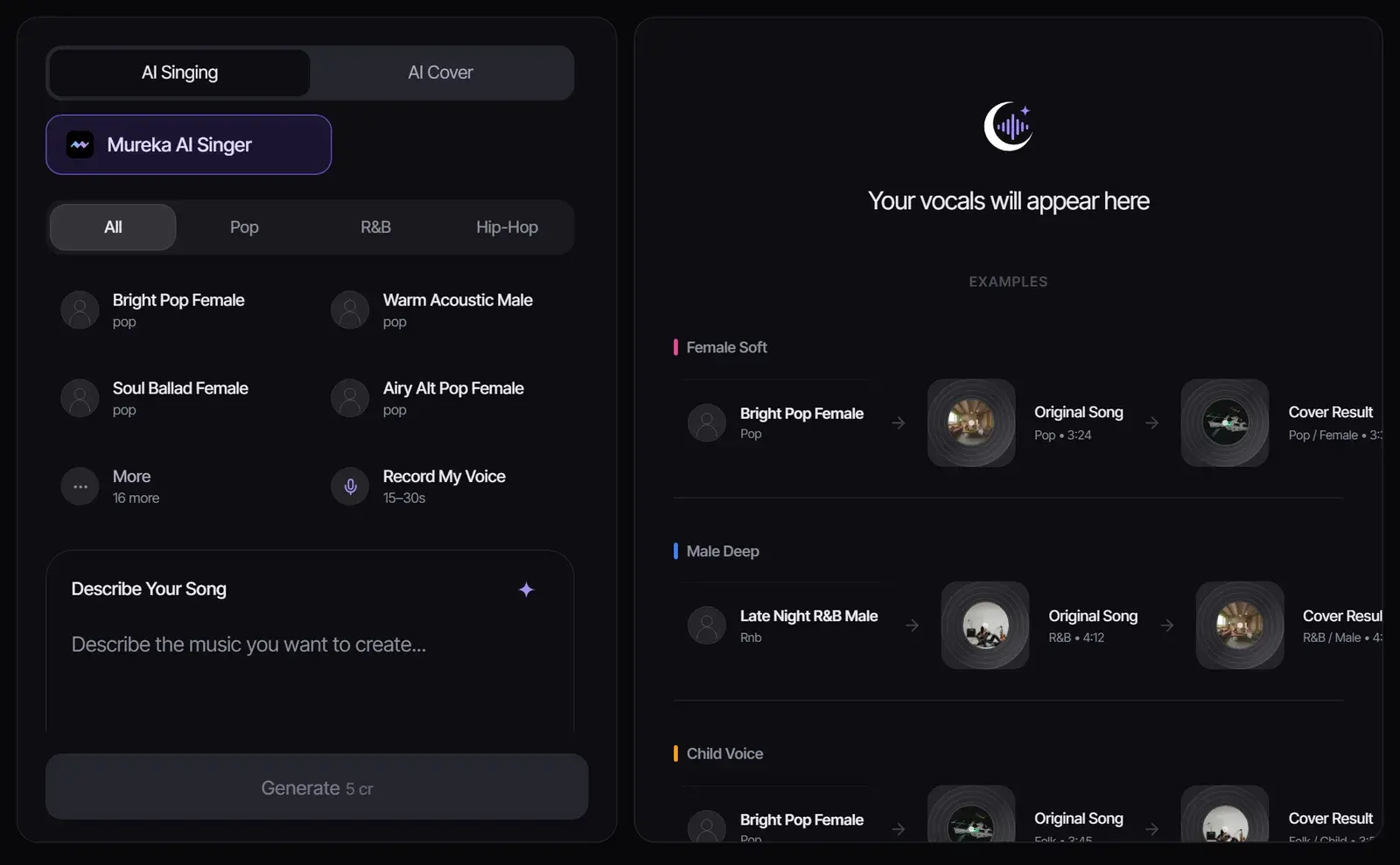
Turn lyrics and a song description into a full track sung in a preset voice or a voice based on your own recording. Choose the voice first, then describe the music and add the words you want sung.
New
How to generate AI singing
1
Choose a voice
Pick a preset voice by style, such as bright pop female or warm acoustic male, or select Record My Voice and sing for 15 to 30 seconds to create a voice from your own singing.
2
Describe the song
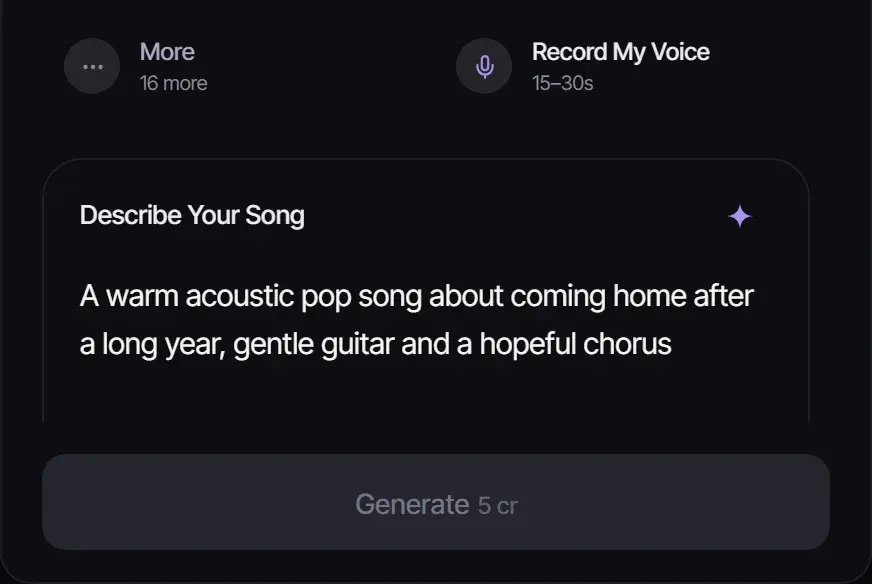
Write the genre, mood, instruments and story of the song. Add your own lyrics under More Options if you have them.
3
Generate the vocal track
Select Generate. Mureka AI Singer creates the song sung in the voice you chose, for 5 credits.
Choose the vocal workflow for your starting point
You already have
Where to start
Lyrics or a song idea
Use this AI singing voice generator to create a new song in the selected voice. The result includes the musical backing.
An existing song with vocals
Use AI Cover to create a version sung in a different permitted voice.
An instrumental or a beat
Use Add Vocals to Instrumental to supply lyrics and a voice for that backing track.
Trying different vocal styles quickly: pop, R&B and hip hop voices
Record My Voice (15–30 s)
Hearing your own voice on songs you could not sing yourself
Only record your own voice, or a voice whose owner has given you permission. Do not use the tool to imitate a real singer.
Tips for natural AI vocals
Record in a quiet room, close to the microphone, singing at a comfortable pitch.
Match the voice to the genre: a breathy voice suits ballads, a bright voice suits pop.
Write lyrics with short, singable lines; the AI Lyrics Generator can draft them.
Already have lyrics and want a full song in any voice? Use Lyrics to Song.
Voices and rights
A voice is part of a person’s identity, and imitating a real singer can infringe their right of publicity and break platform rules on impersonation. Use preset voices or your own. Songs you generate follow your plan: personal use on Free, commercial use for eligible music on paid plans. See Commercial Use.
What you can create with the AI singing voice generator
Demo Your Original Songs
Write lyrics and hear them performed immediately in a polished vocal demo. No need to hire a session singer or book studio time — get a radio-quality vocal performance in seconds.
Create Vocal Content for Social Media
Generate singing performances for TikTok, YouTube, and Instagram. Create original songs with vocals that sound professional without needing any singing ability yourself.
Experiment with Vocal Styles
Try your lyrics in different vocal styles — from soft jazz crooning to powerful rock vocals. Discover how the same words sound with different vocal deliveries and genres.
Vocal examples
Give the track a vocal direction before production gets heavy
Creators use the page to test vocal feel, lyric delivery, and hook energy before committing to a full arrangement or client edit.
Podcast host
Use case example
Show concept to intro music
Podcast
Describe the tone of the show in plain English and get an intro that sounds like the show rather than a template, ready to reuse every episode.
Audio identity
Intro, outro and segment bumper options in the same style.
Shopify ads editor
Use case example
Product brief to jingle
Shopify
Turn a product page or a short brief into a 15-second jingle while the ad edit is still in progress.
Ad audio
A brand hook with a call-to-action ending; paid plans include commercial use for eligible music.
YouTube Shorts creator
Use case example
Script to publishable hook
YouTube
Describe the pacing of a Shorts script and get original background tracks to cut around, instead of searching stock libraries for music that is safe to use.
Shorts-ready track
A 30-second track to edit around, with license status shown before export.
Frequently asked questions
Can it turn text to singing?
Yes. Add your lyrics under More Options and describe the song; the track comes back sung in the voice you picked.
Is there an AI that can sing in my voice?
Yes. Select Record My Voice, sing for 15 to 30 seconds, and the AI singer generator performs new songs in a voice based on your recording.
How do I create an AI singing voice?
Pick a preset voice or record your own, describe the song and select Generate. The AI vocal generator returns a full song sung in that voice.
Is the AI singing voice generator free?
New accounts get 8 free credits without a credit card, and a song costs 5 credits, so you can try it once for free.
Can I use a famous singer’s voice?
No. Imitating a real singer can infringe their rights. Use the preset voices or your own recorded voice.
Updated November 2, 2026 · Written and reviewed by the Songluna AI team