
AI Album Cover Generator
An album cover maker and album art generator for singles, EPs and albums: describe the scene, pick a style, add the title and artist name if you want them, and download a square PNG.
Your cover appears here
Describe a scene, pick a style, and add a title if you want it on the cover. Each cover takes about 10 seconds.
How to make an album cover with AI
- 1
Describe the cover
Write the scene in a sentence: a place, an object, a mood, a time of day. Concrete images make better covers than abstract words, so "a lighthouse on a cliff at dusk" beats "loneliness".
- 2
Pick a style and add your text
Choose Photographic, Illustration, Minimal, Retro vinyl, Neon synthwave, Collage, Oil painting or Dark and moody. Add the album or song title and the artist name to put them on the cover, or leave them empty for an image with no text.
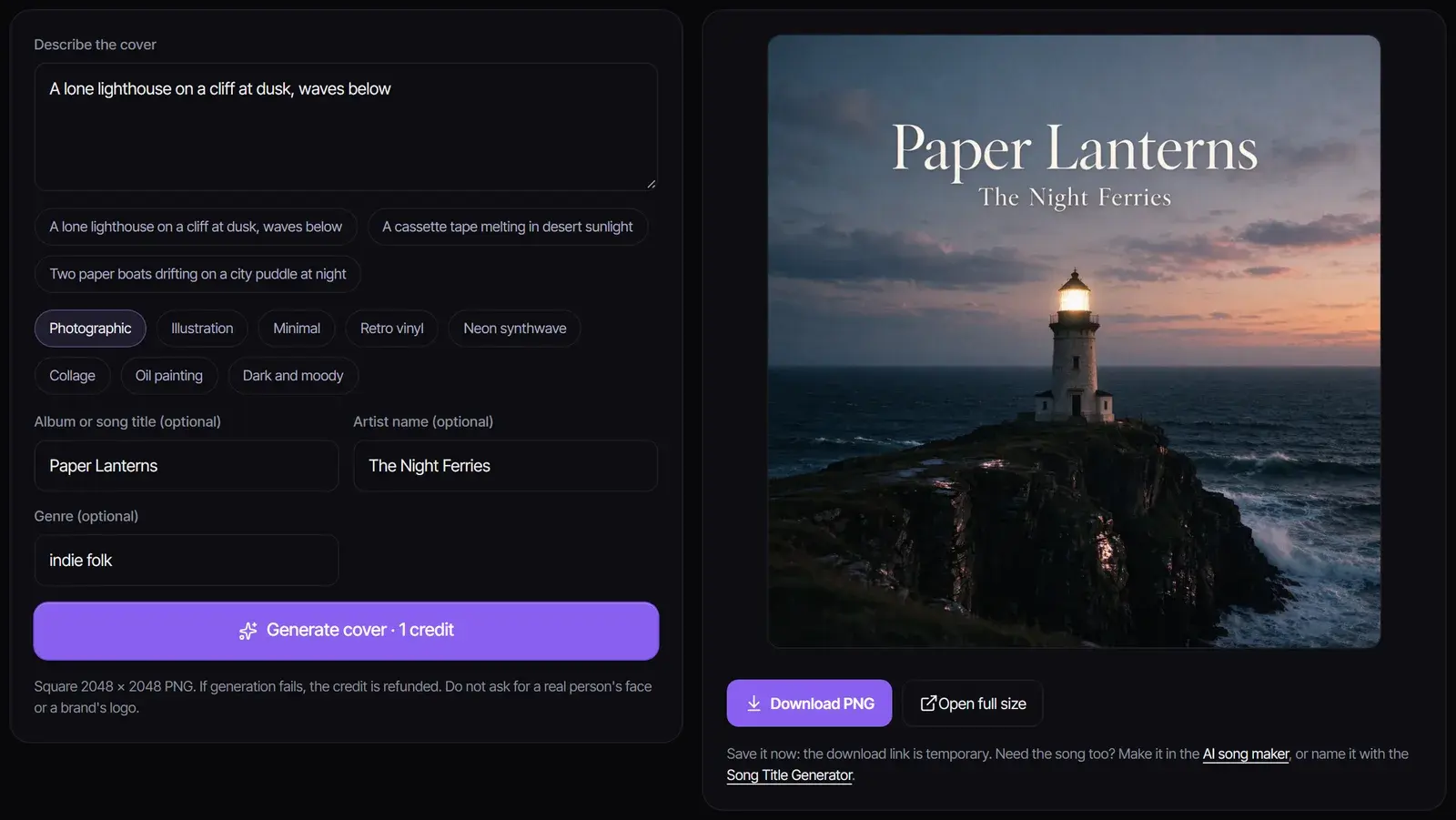
- 3
Generate and download
Select Generate cover. The cover is ready in about 10 seconds as a 2048 × 2048 PNG. Download it straight away, because the link is temporary. Each cover costs 1 credit; new accounts get 8 free credits.
Example: a cover with the title on it
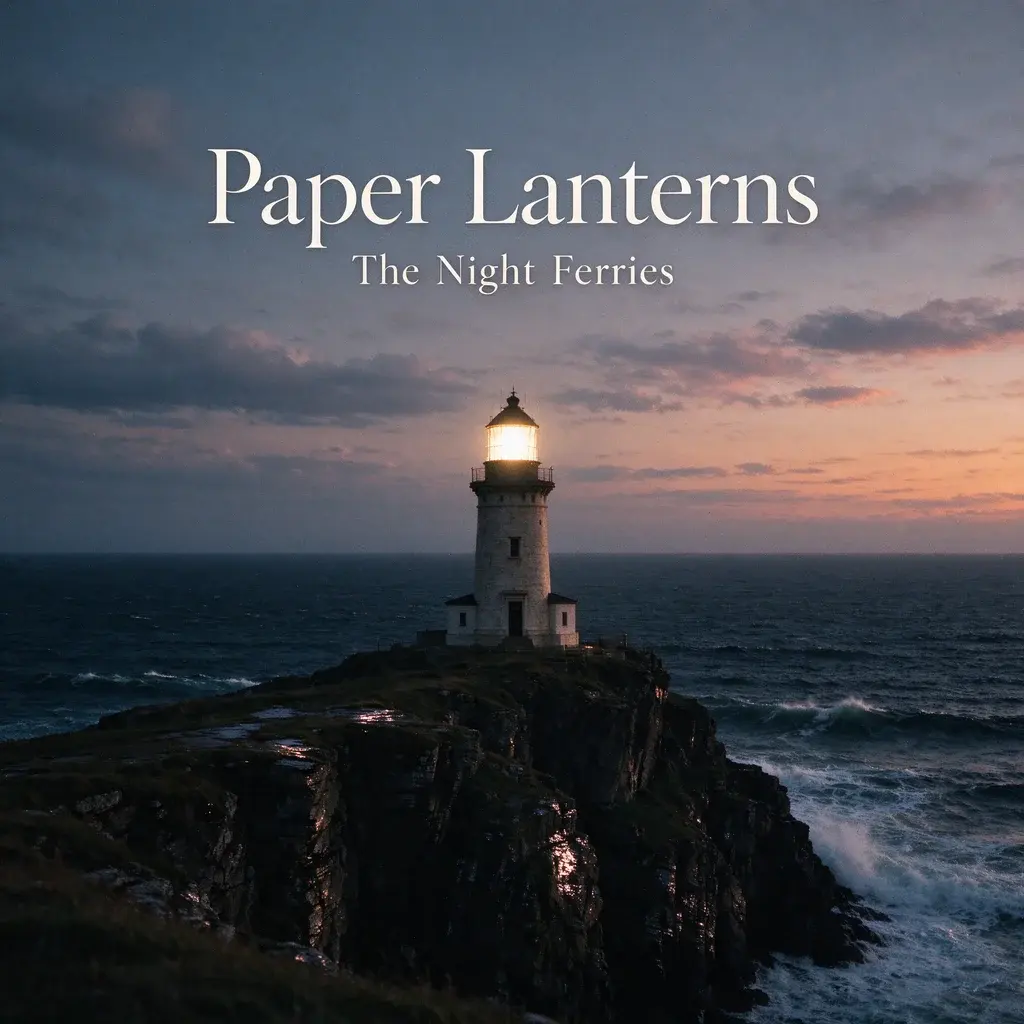
Made with this tool from "A lone lighthouse on a cliff at dusk, waves below", the Photographic style, the genre indie folk, the title Paper Lanterns and the artist name The Night Ferries (both made up). It is the first result, shown here at half size and otherwise unedited.
Album cover styles
| Style | What you get | Good for |
|---|---|---|
| Photographic | A cinematic photo with natural light and film grain | Singer-songwriter, indie, folk, ambient |
| Illustration | Hand-drawn shapes on textured paper | Lo-fi, indie pop, children’s music |
| Minimal | Flat color fields and one simple motif | Electronic, techno, classical |
| Retro vinyl | A faded 1970s record-sleeve look | Soul, funk, classic rock, city pop |
| Neon synthwave | Glowing magenta and cyan, night skyline | Synthwave, retrowave, EDM |
| Collage | Cut paper and risograph colors | Hip-hop, alternative, experimental |
| Oil painting | Visible brush strokes, rich color | Jazz, orchestral, ballads |
| Dark and moody | Deep shadows and a muted palette | Metal, trap, dark ambient |
Tips for a cover that works as a thumbnail
- One clear subject. Streaming apps show covers as small squares, so a single strong image reads better than a busy scene.
- Short titles render best. The model spells the title and artist name you type; one to four words is the most reliable. Check the spelling before you release it.
- Leave the title empty for artwork only, then add your own lettering in a design app if you want a specific font.
- Generate a few versions. Each one is different, and at 1 credit a cover it is cheap to try another style.
Size and format
Covers are square 2048 × 2048 PNG files. Many music distributors ask for 3000 × 3000 pixels, so check your distributor’s artwork rules and upscale the PNG if it needs to be larger. Distributors also reject covers with web addresses, social handles, store logos or blurry text, so keep the cover to the title, the artist name and the artwork.
Using your cover
Use of generated covers is governed by our Terms. Do not ask for a real person’s face, another artist’s artwork, or a brand’s logo or trademark, and do not present a generated cover as someone else’s work. For the music itself, see AI music commercial use.
Frequently asked questions
How do I make an album cover with AI?
Describe the scene, pick a style, add the title and artist name if you want them on the cover, then select Generate cover and download the PNG.
Is this album cover AI free?
Each cover costs 1 credit. New accounts get 8 free credits without a credit card, so you can make up to eight covers before paying.
Can it put my album title on the cover?
Yes. Type the title and artist name and the model sets them as part of the design. Short titles come out most reliably; check the spelling before you release the cover.
What size are the covers?
Square 2048 × 2048 pixels, as PNG. If your distributor requires 3000 × 3000, upscale the file before uploading.
Which AI model makes the covers?
Seedream 5.0 Flash, an image model by ByteDance, run through WaveSpeed. It is the same AI album art generator for every style.
Can I make cover art for a single or a mixtape?
Yes. It works as an AI cover art generator for singles, EPs, mixtapes and playlists as well as albums: every cover is the same square format.
Sources
- Seedream 5.0 FlashWaveSpeed
Updated November 1, 2026 · Written and reviewed by the Songluna AI team
Make the song for your cover
Create a full song with vocals in the AI song maker. New accounts get 8 free credits.