
Audio Volume Booster
Make a quiet audio file louder: choose a recording, adjust the gain or normalize its peak, then preview and download a WAV. Processing stays in your browser and needs no account.
MP3, WAV, FLAC, M4A, AAC or OGG, up to 50 MB.
Free, no sign-in. The file is processed in your browser and never uploaded.
Your louder file appears here
Choose a file, set the boost or select Normalize, and make it louder. You can play the result here and download it as a WAV.
How to make audio louder
- 1
Choose the file
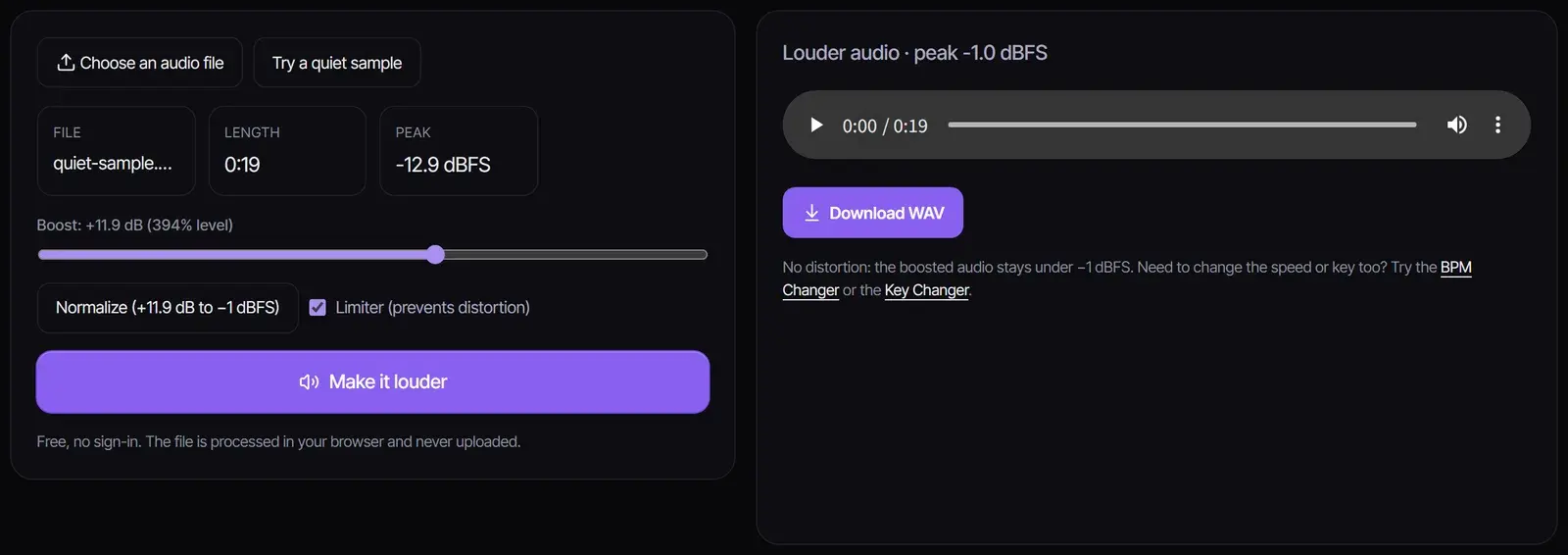
Choose an MP3, WAV, FLAC, M4A, AAC or OGG file up to 50 MB. The booster shows its length and current peak level.
- 2
Set the boost
Drag the slider up to +20 dB, or select Normalize to raise the loudest moment to −1 dBFS exactly. Keep the limiter on so loud parts do not distort.
- 3
Make it louder and download
Select Make it louder, listen to the result, and download it as a WAV. Nothing is uploaded and no account is needed.
How much to boost
| Boost | Signal level | How it sounds |
|---|---|---|
| +3 dB | About 1.4× the original | A little louder; good for slightly quiet recordings |
| +6 dB | About 2× the original | Clearly louder; the usual fix for a quiet voice memo or MP3 |
| +10 dB | About 3.2× the original | Roughly twice as loud to the ear |
| +20 dB | 10× the original | For very quiet recordings; the limiter will be working hard |
If you are not sure, select Normalize. It raises the whole file until its loudest moment reaches −1 dBFS, the most you can add without the limiter changing anything.
Why boosted audio distorts, and what the limiter does
Digital audio has a ceiling. When a boost pushes the loudest parts past it, the tops of the waveform are cut off, which sounds like crackling or harsh distortion. The limiter bends those peaks down smoothly so they stay under −1 dBFS while the quieter parts get the full boost. A small amount of limiting is inaudible; if the result sounds flat or squashed, lower the boost.
Make an MP3 louder for videos, podcasts and playback
- Quiet voice memos and interviews: normalize first, then add a few dB if speech is still hard to hear.
- Music for a video: to increase MP3 volume before it goes into your editor, boost it here and import the WAV.
- Podcasts: podcast apps expect speech around −16 LUFS; the podcast intro music guide explains loudness for shows.
- Combining files: boost each file to a similar level first, then join them with the Audio Joiner.
Peak normalization and listening loudness
Normalize moves the loudest sample in the file to −1 dBFS, changing the level of the whole recording by the same amount. Two recordings with the same peak can still sound different in loudness. Podcast delivery uses an integrated loudness measurement in LUFS or LKFS, measured across the finished mix. Check that separately in your audio editor after balancing speech and music.
Boosting also raises background noise already in the recording. Start with a modest gain, keep the limiter on and listen to the loudest passage before downloading.
Your audio stays on your device
This volume booster online works entirely in your browser tab: the file is decoded, boosted and saved on your device. It is never uploaded, there is no account or watermark, and it is free to use as often as you like.
Frequently asked questions
How do I make audio louder?
Choose the file, set a boost or select Normalize, keep the limiter on, then select Make it louder and download the WAV.
Is the volume booster free?
Yes. This audio volume booster runs in your browser with no account, no limits and no watermark.
Can I boost the volume of an MP3?
Yes. As an MP3 volume booster it reads MP3, WAV, FLAC, M4A, AAC and OGG files and saves the louder version as a WAV, which keeps full quality.
Will boosting the volume cause distortion?
The limiter helps control peaks and reduce clipping. Large boosts can still raise noise or make the recording sound compressed, so compare the loudest passage and lower the gain if needed.
Does this change my computer or browser-tab volume?
This tool creates a louder copy of the audio file you select. Your computer and browser playback-volume controls stay separate.
Can it make a video louder?
It works with audio files. Export the audio from your video editor, boost it here, and put the louder WAV back on your timeline.
Is my file uploaded?
No. Everything happens on your device; the file never leaves your browser.
Sources
- Audio requirementsApple Podcasts
Updated November 2, 2026 · Written and reviewed by the Songluna AI team
Make music worth turning up
Create a full song with vocals in the AI song maker. New accounts get 8 free credits.