
BPM Changer and Music Speed Changer
An audio speed changer to slow down a song to half speed or speed it up to double, in 5% steps, while the pitch stays the same. It runs in your browser and saves a WAV file.
How to change the speed of a song
- 1
Choose the song
Drop in an MP3, WAV, FLAC, M4A, AAC or OGG file up to 50 MB. Select Play original to hear it first.
- 2
Set the speed
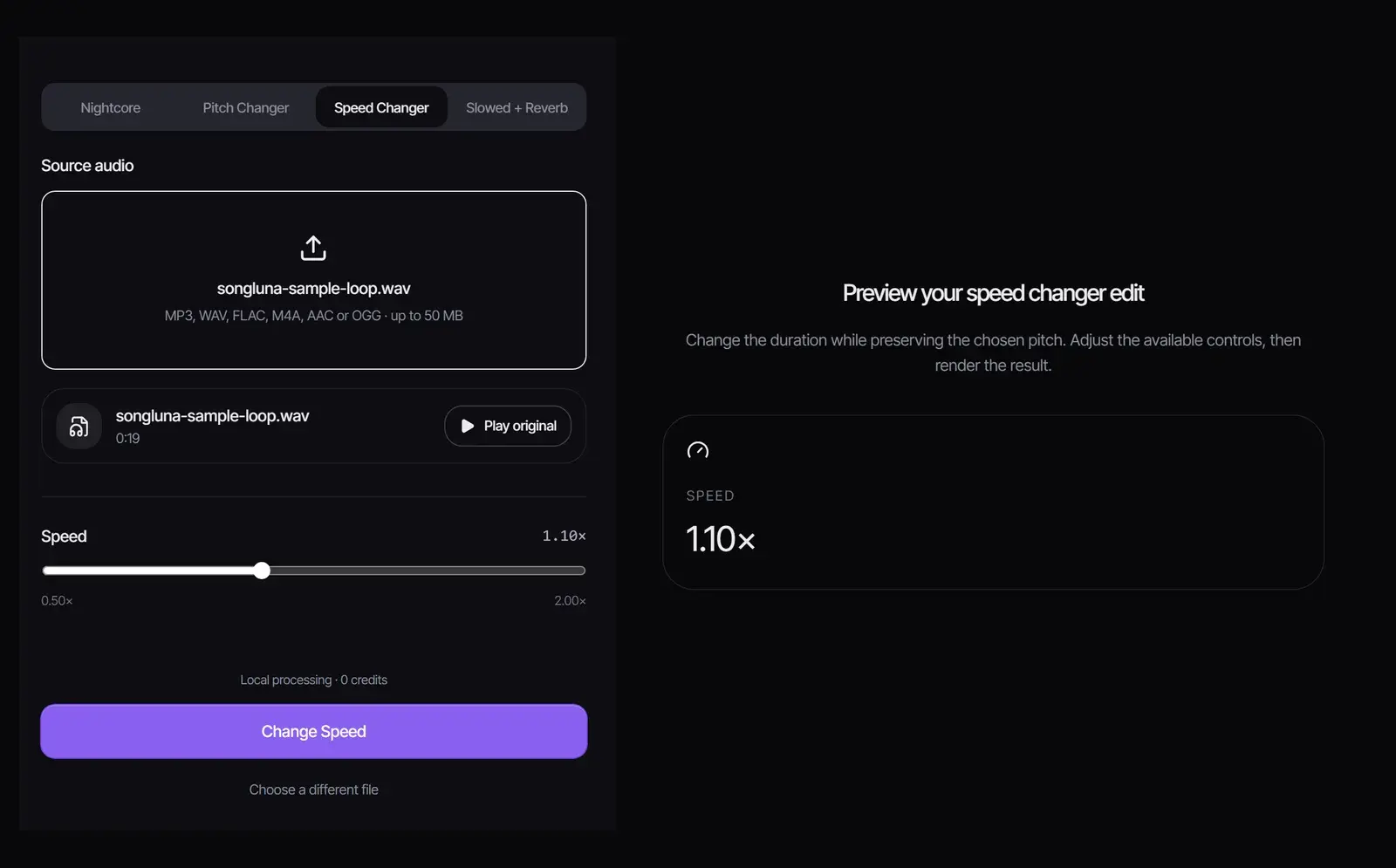
Drag the Speed slider between 0.50× and 2.00×. Below 1× slows the song down and above 1× speeds it up; the pitch stays where it was.
- 3
Render and download
Select Change Speed, listen with Play result, then select Download WAV. No account or credits needed.
Use the music speed changer as a BPM changer
The new tempo is the original BPM multiplied by the speed. To reach a target tempo, divide the target BPM by the current BPM. The slider moves in steps of 0.05, so pick the nearest step.
| Speed | New BPM | New length |
|---|---|---|
| 0.50× | 60 | 6:00 |
| 0.75× | 90 | 4:00 |
| 0.90× | 108 | 3:20 |
| 1.05× | 126 | 2:51 |
| 1.10× | 132 | 2:44 |
| 1.25× | 150 | 2:24 |
| 1.50× | 180 | 2:00 |
| 2.00× | 240 | 1:30 |
Example: to take a 120 BPM track to 128 BPM, 128 ÷ 120 = 1.067, so choose 1.05× (126 BPM) or 1.10× (132 BPM). Find the current tempo with the Key & BPM Finder.
Slow down music to learn it
- Learn a fast solo or riff at 0.5× to 0.75×, then raise the speed as you get it.
- Transcribe melodies and chords at a slower tempo; the notes stay in the original key.
- Rehearse choreography or a workout routine at a gentler pace.
- Speed up a podcast, lecture or voice memo to 1.25× or 1.5× to get through it faster.
Sped-up and slowed versions
Sped-up songs on TikTok and Reels usually raise the pitch along with the tempo, which is what the Nightcore Maker does. This tool keeps the original pitch, which sounds more natural for practice and for matching tempos in a DJ set.
For the slowed sound with a deeper pitch and a reverb tail, use the Slowed and Reverb Generator, which changes speed, pitch and reverb in one render.
Sound quality at extreme speeds
- Between 0.75× and 1.25×, most music sounds natural.
- At 0.5×, drums and consonants can smear, because every sound is stretched to twice its length.
- At 2×, fast passages can sound choppy, while speech usually stays clear.
- Use a lossless source, such as WAV or FLAC, for the cleanest result.
Using songs you have the right to use
Slowing a song down to practice is personal use. A sped-up or slowed copy of someone else’s recording is still their recording, so publishing it needs permission from the rights holders.
Frequently asked questions
How do I change the speed of a song without changing the pitch?
Choose the file, set the Speed slider and select Change Speed. The pitch stays the same.
How do I change the BPM of a song?
Divide the target BPM by the current BPM and set the nearest speed, for example 0.90× to take 120 BPM down to 108.
What speeds can I choose?
From 0.50× to 2.00× in steps of 0.05.
Is this song speed changer free?
Yes. Processing runs in your browser, with no account, no credits and no watermark.
Is my audio uploaded?
No. The file is decoded and processed in your browser tab.
Which formats can I use?
MP3, WAV, FLAC, M4A, AAC and OGG up to 50 MB. The result is a WAV file.
Can I change the speed of only part of a song?
No. The whole file changes. Trim the part you need first, then load it here.
Does it change the pitch?
No. To raise the pitch along with the speed, use the Nightcore Maker.
Updated October 25, 2026 · Written and reviewed by the Songluna AI team
Change the speed of your song
Free, with no sign-in. Processing stays in your browser and uses no credits.