

Hum a melody
Turn a clear vocal idea into editable notes you can refine, arrange, and assign to an instrument.
Turn MP3, WAV, or FLAC into an editable MIDI file: free in your browser for one instrument or voice, or 60 credits to split a full song into separate tracks.
Audio to MIDI
Editable MIDI draft
Your MIDI draft
Preview only. Exact notes appear after processing.
Output
Editable MIDI draft
Convert one instrument or voice for free in your browser, or send a full song to the server to split its instruments into separate tracks. Either way you get a standard MIDI file to edit in Studio or any DAW.
Audio waveform
MIDI notes
Pitch and timing become an editable draft.
Continue editing
Carry the real result into your MIDI workflow.
Turn a clear vocal idea into editable notes you can refine, arrange, and assign to an instrument.

Extract the main movement from a clean guitar phrase, then adjust its timing and notes.
Convert a focused loop into a MIDI draft that can be reshaped for your next production.
Upload an MP3, WAV or FLAC file. Keep Free · in your browser for one instrument or voice, up to 10 minutes, or pick Full song (60 credits) to split a full mix into a track per instrument.
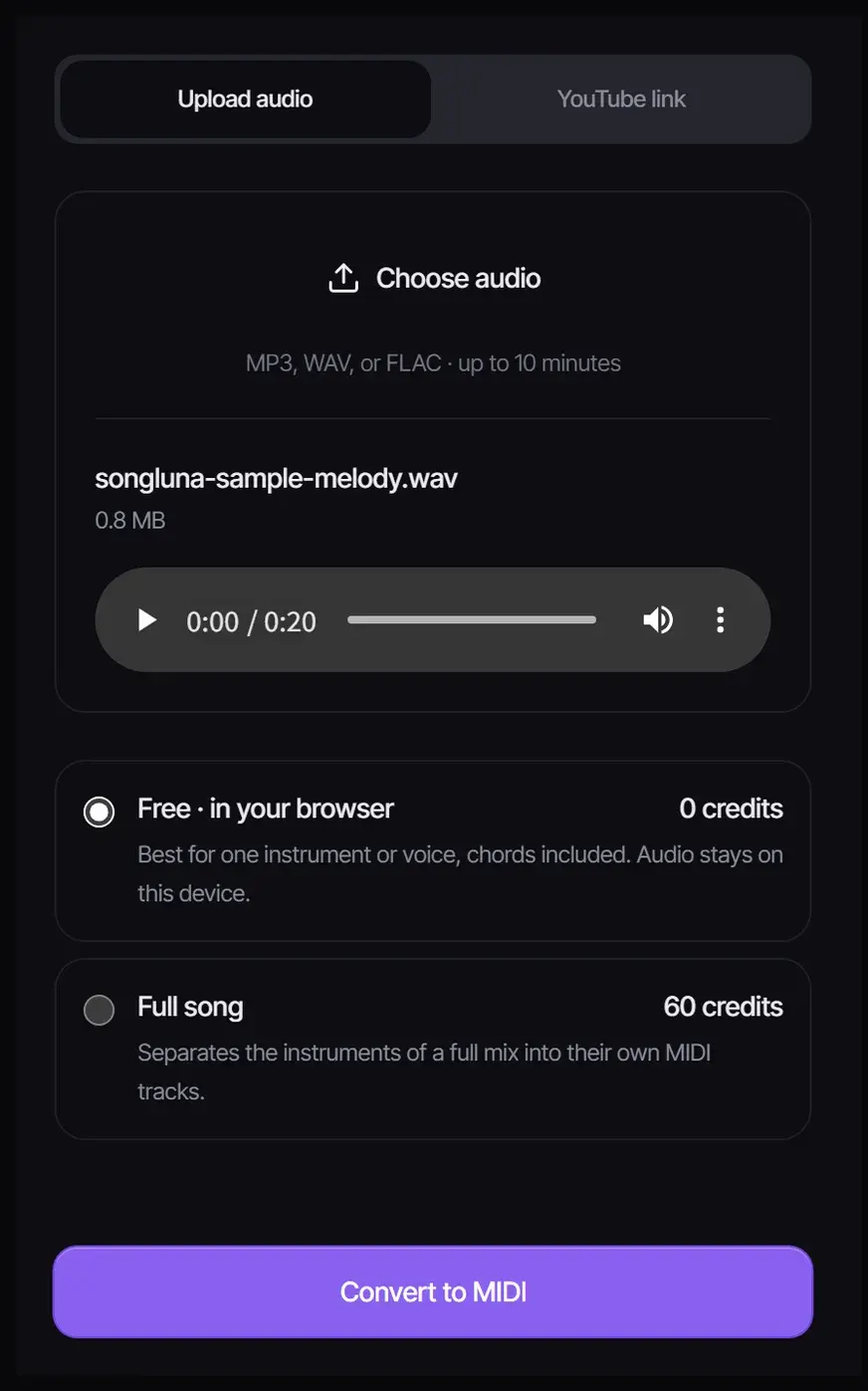
Select Convert to MIDI. The free option runs Spotify’s open-source Basic Pitch model in your browser to find the pitch, start and length of each note; the audio is not uploaded.
Select Download MIDI for a .mid file you can open in any DAW, or Open in Studio to fix notes and timing in the piano roll of the MIDI editor.
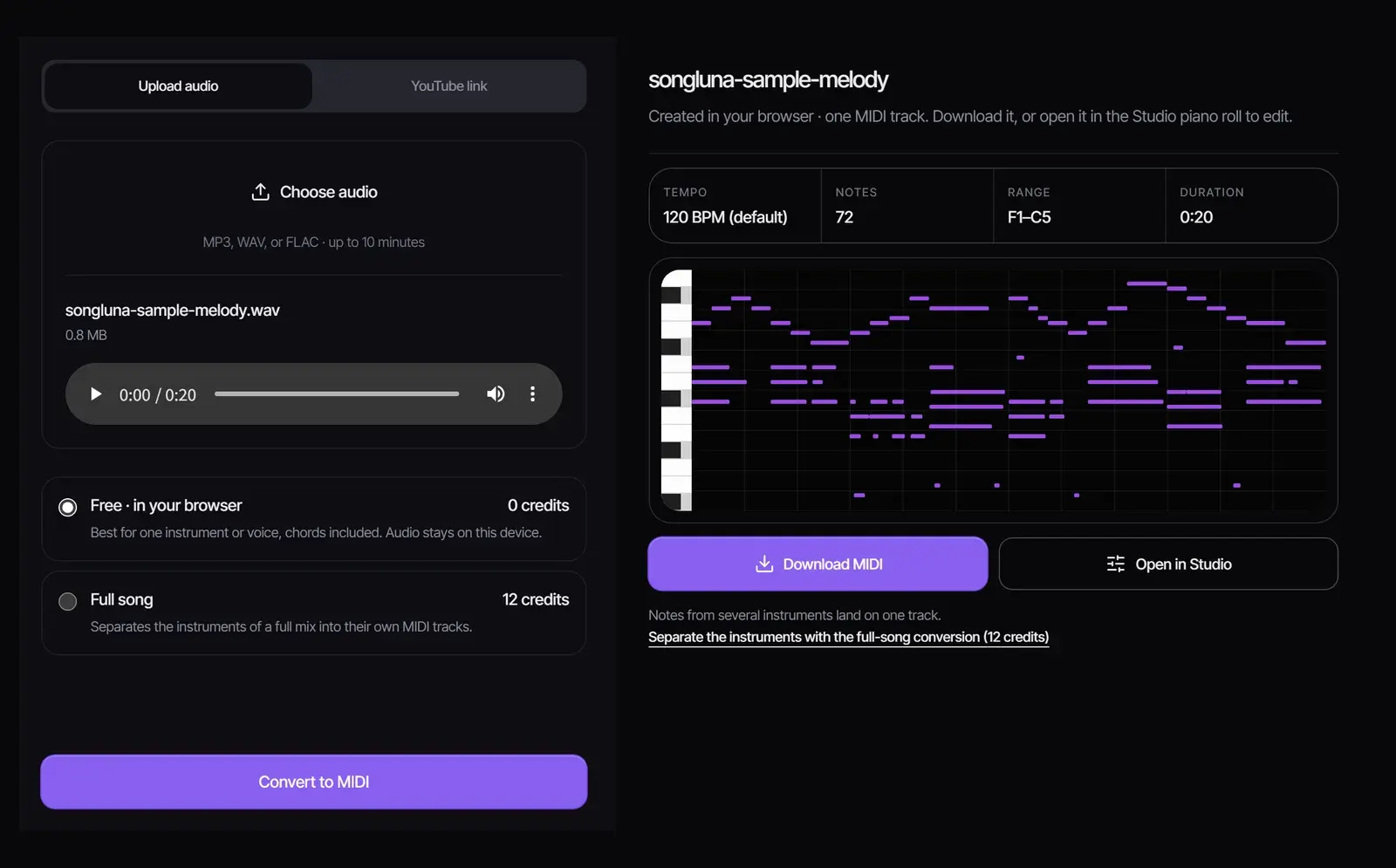
An MP3 stores sound; a MIDI file stores instructions: which note, when it starts, how long it lasts and how hard it is played. Conversion listens for those events and writes them down, so you can change the instrument, fix a note or move the rhythm afterwards. The same converter handles WAV to MIDI, FLAC to MIDI and any other recorded sound to MIDI, not only MP3.
| Free · in your browser | Full song | |
|---|---|---|
| Cost | Free, no account needed | 60 credits |
| Best for | One instrument or voice, chords included | A full mix with several instruments |
| What you get | One MIDI track | A MIDI track per instrument, in a ZIP |
| Where it runs | On your device; the audio is not uploaded | On Songluna AI servers |
| Length | Up to 10 minutes | Within your plan’s upload limit |
The free converter places notes on the song’s tempo when it finds a steady beat, and on a 120 BPM grid otherwise; the timing of each note in seconds is the same either way.
We rendered an original 20-second recording of a piano-style melody over chords, 50 notes in all, and converted it with the free option in a desktop browser. It took about 9 seconds, including the first download of the model. All 50 notes came back within 80 milliseconds of where they were played.
The converter also added 22 notes that were not in the recording: most repeat a long chord note as it fades, and a few are low phantom notes. They are quick to delete in the piano roll, and cleaner recordings give fewer of them.
| Source | What to expect |
|---|---|
| Solo piano, guitar riff or bass line | An accurate draft that needs little cleanup |
| A clear sung or hummed melody | Good melody notes; check held notes and slides |
| A loop or short phrase | A clean draft you can repeat and rearrange |
| A full mixed song | Use the full-song conversion, or split it into stems first |
To convert one part of a full song for free, separate it with the Stem Splitter first, then convert the stem you want, such as the bass or the vocal melody.
The result is a standard MIDI file, which Ableton Live, FL Studio, Logic Pro, GarageBand, Cubase and other DAWs open directly. Assign it to any virtual instrument, quantize the timing, or print it with MIDI to Sheet Music. Want a full song built around your melody idea? Describe it in the AI song generator.
Yes. Keep Free · in your browser: it converts up to 10 minutes of audio on your device with no account and no credits. The full-song conversion, which gives each instrument its own track, costs 60 credits.
Very good on clear, single-instrument recordings and rougher on full mixes. On our test recording every note was found, plus a few extra notes to delete, so treat the result as a draft.
Yes. The full-song conversion separates the instruments into their own MIDI tracks. The free converter also accepts a full song, but puts all the notes on one track.
Not with the free converter: the model runs in your browser. The full-song conversion uploads the file to process it.
Yes. A clear sung or hummed melody converts well; breathy or heavily processed vocals are harder.
A standard .mid file from the free converter, or a ZIP with a MIDI file per part from the full-song conversion.
Basic Pitch, an open-source note detection model from Spotify, released under the Apache 2.0 license.
Any DAW or notation app that supports standard MIDI files, including Ableton Live, FL Studio, Logic Pro, GarageBand and MuseScore.
Updated October 25, 2026 · Written and reviewed by the Songluna AI team