
MIDI to Sheet Music
Upload a MIDI file and turn MIDI to notes on a staff in seconds. Print it, save it as a PDF, or download MusicXML to finish it in a notation app.
Free and unlimited, no account needed. Works best on clean, quantized MIDI such as a melody, a piano part or a bass line.
Your sheet music will appear here
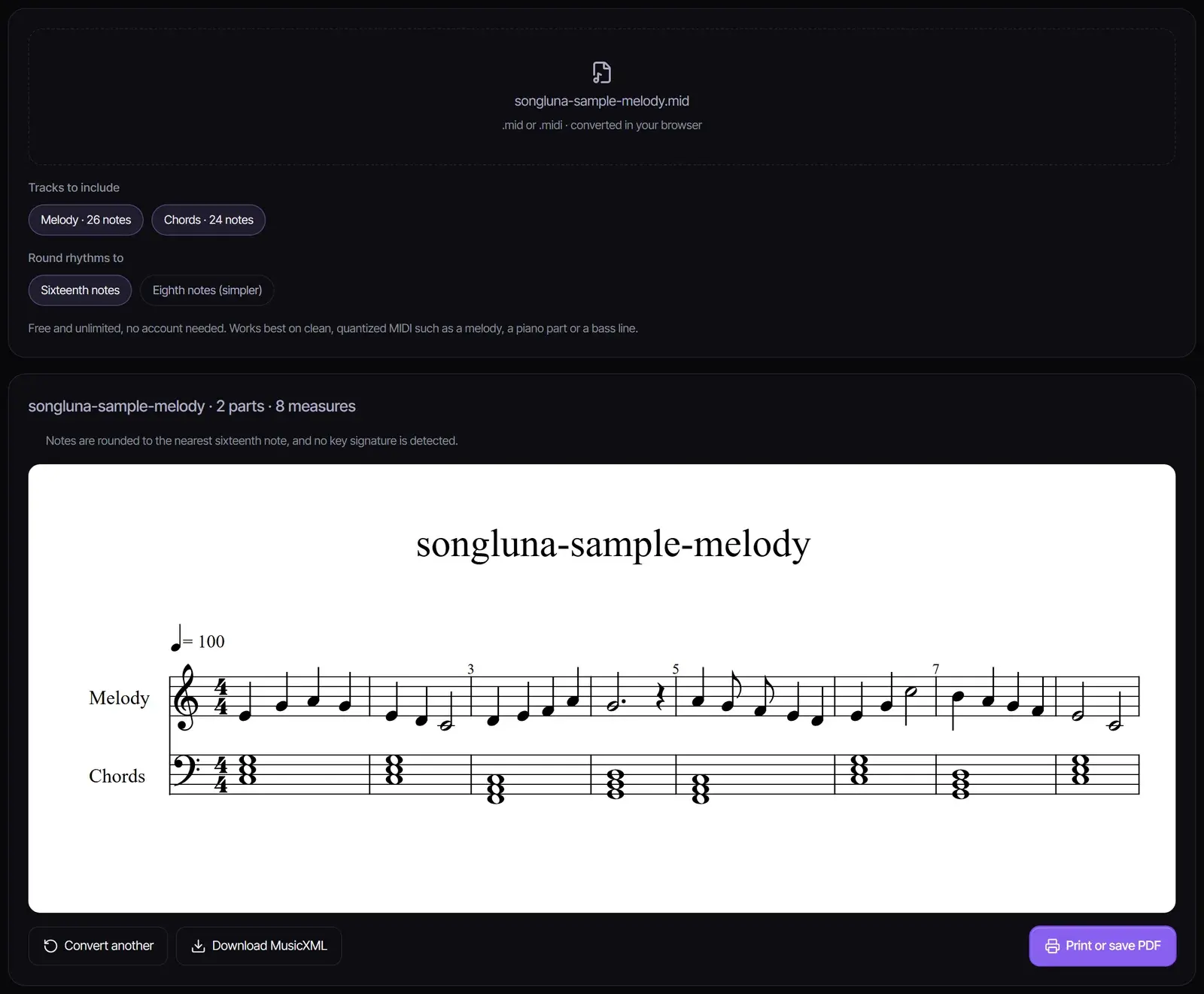
Each track becomes a part. Notes that start together become chords, long notes are tied across barlines, and wide piano parts get a treble and bass staff.
How to convert MIDI to sheet music
- 1
Upload a MIDI file
Choose a .mid or .midi file, or try the sample. It is converted in your browser and never uploaded.
- 2
Pick the tracks and the rhythm grid
Select which tracks to include, and round rhythms to sixteenth notes or, for simpler reading, eighth notes. Each track becomes a part; wide piano parts get a treble and a bass staff.
- 3
Print, save as PDF or download MusicXML
Select Print or save PDF and choose Save as PDF in the print dialog, or download MusicXML to edit the score in MuseScore, Finale, Sibelius or Dorico.
How MIDI becomes notation
A MIDI file stores when each note starts and stops, not how to write it down. To convert MIDI to notation, the converter rounds the timing to a rhythm grid, groups notes that start together into chords, splits long notes at the barline and ties them, and fills the gaps with rests. Wide-range parts are split at middle C onto a treble and a bass staff.
The notation is drawn with OpenSheetMusicDisplay, an open-source engraving library, from MusicXML that you can also download.
Getting readable results
| MIDI file | What to expect |
|---|---|
| Quantized melody, chords or bass line | Clean, readable notation |
| Piano part played to a click | Readable after choosing the right grid |
| Live performance without a click | Uneven rhythms; round to eighth notes and tidy up in a notation app |
| Full arrangement with many tracks | Pick the tracks you need rather than all of them |
| Drum track | Left out; percussion needs its own notation |
Limits to know
- Rhythms are rounded to sixteenth or eighth notes; triplets and swing are written as the nearest straight rhythm.
- No key signature is detected; accidentals are written on each note.
- Notes that overlap but start at different times are shortened so each staff reads as one line of chords.
- Long files show the first 400 measures.
Treat the result as a draft. Download the MusicXML to fix spelling, add a key signature, dynamics and lyrics in a notation app.
Related tools
Have a recording rather than a MIDI file? Turn it into MIDI with MP3 to MIDI, then bring the result here. Have a score you want to hear? MusicXML to MIDI goes the other way. Need chords to write over? Try the Chord Progression Generator, or start a new song in the AI song generator.
Frequently asked questions
How do I convert MIDI to sheet music?
Upload the .mid file here, choose the tracks, and the notation appears. Print it, save it as PDF from the print dialog, or download MusicXML.
Is MIDI to sheet music free?
Yes. It runs in your browser with no account and no limit, and your file is not uploaded.
Can I convert MIDI to PDF sheet music?
Yes. Select Print or save PDF, then choose Save as PDF as the printer in your browser’s print dialog.
Why does the rhythm look wrong?
MIDI recorded without a click has timing that does not land on the beat. Round to eighth notes, or quantize the MIDI in your DAW first, then convert again.
Can I edit the sheet music?
Download the MusicXML and open it in a notation app such as MuseScore, which is free, to edit notes, add a key signature, dynamics and lyrics.
Does it work with drum tracks?
Drum tracks are left out, because percussion uses its own notation. Pitched instruments such as piano, bass, strings and melodies all work.
Sources
- OpenSheetMusicDisplayopensheetmusicdisplay.org
Updated October 24, 2026 · Written and reviewed by the Songluna AI team
Write the next piece with AI
Create a full song from a description or your lyrics. New accounts get 8 free credits.