
MIDI Editor Online
A free MIDI editor in your browser: import a MIDI file or start a blank clip, then edit notes, timing and velocity in a piano roll. Play it back with instrument sounds and export MIDI or audio.
How to edit a MIDI file online
- 1
Import a file or start blank
Select Import MIDI to open a .mid or .midi file, or Create Blank MIDI Clip to write from scratch. Imported files keep their tracks and tempo.
- 2
Edit in the piano roll
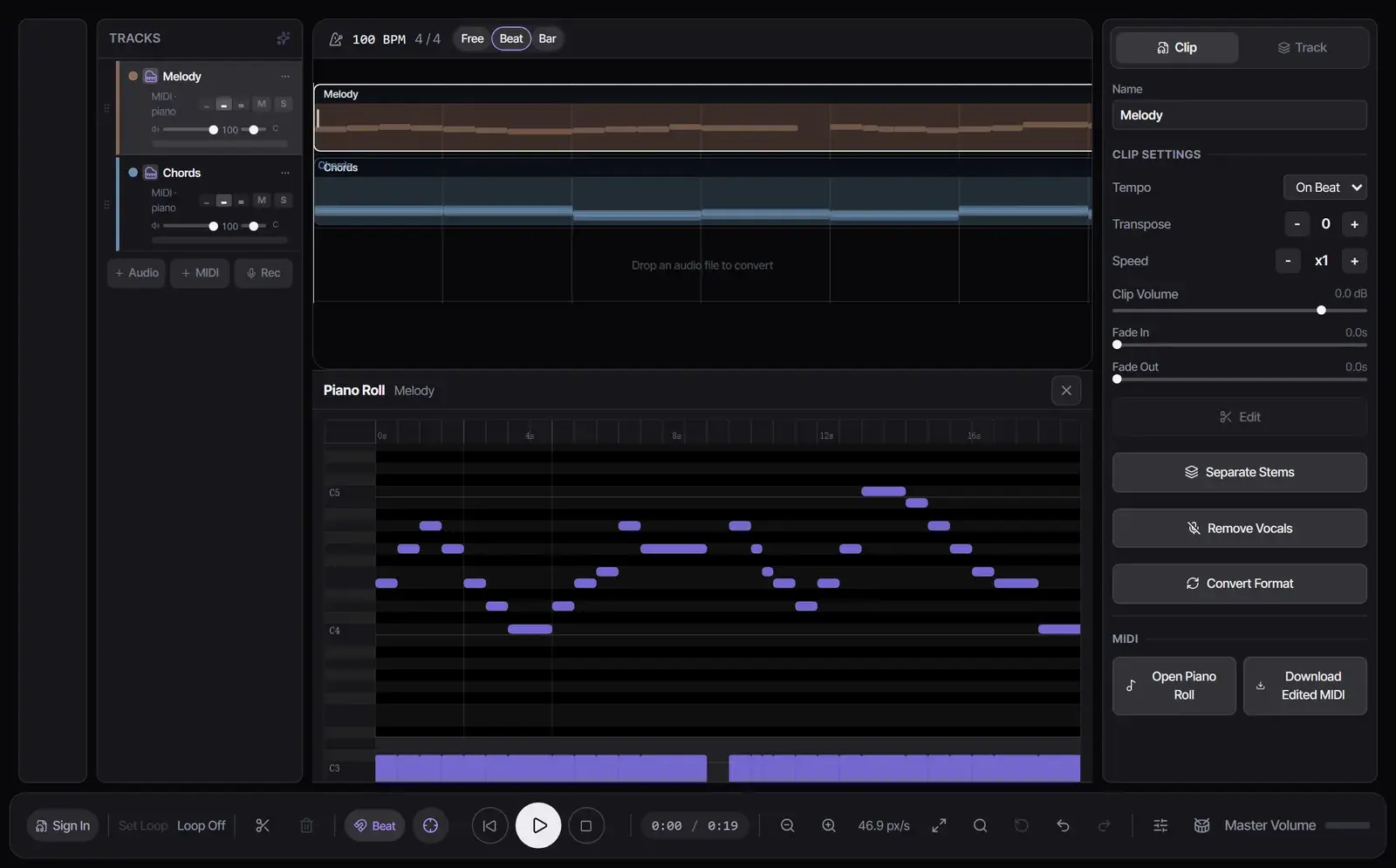
Select Open Piano Roll to draw, select, move and erase notes. Open the velocity lane to set how hard each note plays, and press Q to quantize the selected notes.
- 3
Download or export
Select Download Edited MIDI for a .mid file, or Export for WAV, MP3, FLAC or MIDI of the project. Exporting is free; sign in only to save the project.
What the online MIDI editor can do
| Control | What it does |
|---|---|
| Draw, select and erase | Add notes on the grid, select one or many, drag to move or resize them, and delete them |
| Arrow keys | Move selected notes; Up and Down transpose by a semitone, or by an octave with Shift |
| Velocity lane | Set how loud each note plays |
| Quantize (Q) | Snap the selected notes to the grid |
| Snap | Choose the grid that notes follow while you draw and move them |
| Scale assist | Keep notes inside a scale as you move them |
| Tempo and time signature | Set the project BPM and meter |
| Instruments | Choose the sound each MIDI track plays in the Track panel |
Use it as a MIDI maker
Select Create Blank MIDI Clip, open the piano roll, choose Draw notes and click the grid to place notes. Press play to hear them with the track’s instrument, then export the result as MIDI or audio.
Need a starting point? Build chords in the Chord Progression Generator or turn a recording into notes with MP3 to MIDI, download the MIDI, and import it here.
Files it opens and saves
- Opens Standard MIDI Files (.mid and .midi) with one or more tracks.
- Download Edited MIDI saves the selected MIDI clip as a .mid file.
- Export saves the full mix, one track or every track as WAV, MP3, FLAC or MIDI, and can also pack stems or the whole project as a ZIP.
- Free plan exports are for personal use; paid plans add commercial use.
From MIDI to sheet music or a song
- Turn the edited part into notation you can print with MIDI to Sheet Music.
- Convert a MusicXML score from MuseScore or Finale with MusicXML to MIDI and keep editing here.
- Add AI-generated tracks next to your MIDI in the same Studio, or start a full song with the AI song generator.
Frequently asked questions
Is the online MIDI editor free?
Yes. Importing, editing, playback and export are free with no sign-in. Sign in only to save the project to your library.
Can I edit an existing MIDI file?
Yes. Select Import MIDI, edit the notes in the piano roll, and select Download Edited MIDI.
How do I change the velocity of notes?
Open the velocity lane in the piano roll and adjust the bar under each note.
How do I quantize MIDI?
Choose the grid with Snap, select the notes and press Q.
Can I transpose MIDI?
Yes. Select the notes and press the Up or Down arrow to move them a semitone, or hold Shift to move them an octave.
Can I convert MIDI to WAV or MP3?
Yes. Select Export, choose WAV or MP3, and download the rendered audio.
Is my project saved?
Without an account, the project lives in the open tab, so download your MIDI before you close it. Signed-in users can save projects.
Updated October 25, 2026 · Written and reviewed by the Songluna AI team
Open the MIDI editor
Free to edit and export, with no sign-in. Sign in when you want to save projects.