
BPM Tapper
A free tap tempo tool to tap BPM along to any song: the tempo, half and double time, and delay times in milliseconds. It runs in your browser, with no sign-in.
Tap along to the beat: click or touch the pad, or press the space bar.
Free, no sign-in. It runs in your browser and records nothing. A pause of 2 seconds starts a new count.
Your tempo appears here
- Taps
- 0
- Exact
- —
- Half time
- —
- Double time
- —
Note lengths for delay and echo
- Quarter (1/4)
- —
- Eighth (1/8)
- —
- Dotted 1/8
- —
- 1/8 triplet
- —
- Sixteenth (1/16)
- —
- Half (1/2)
- —
How to find the BPM of a song by tapping
- 1
Play the song and find the beat
Start the song wherever it plays, from a stream, a record, a video or a live band, and listen for the steady pulse, usually the kick drum or the snare. Tap on every beat, not on every note.
- 2
Tap the pad or press the space bar
Click or touch the pad, or press the space bar or T while the tapper is on screen. A tempo appears after two taps and settles after five or six. Only your last eight taps count, so an early miss stops affecting the result.
- 3
Check the number and use it
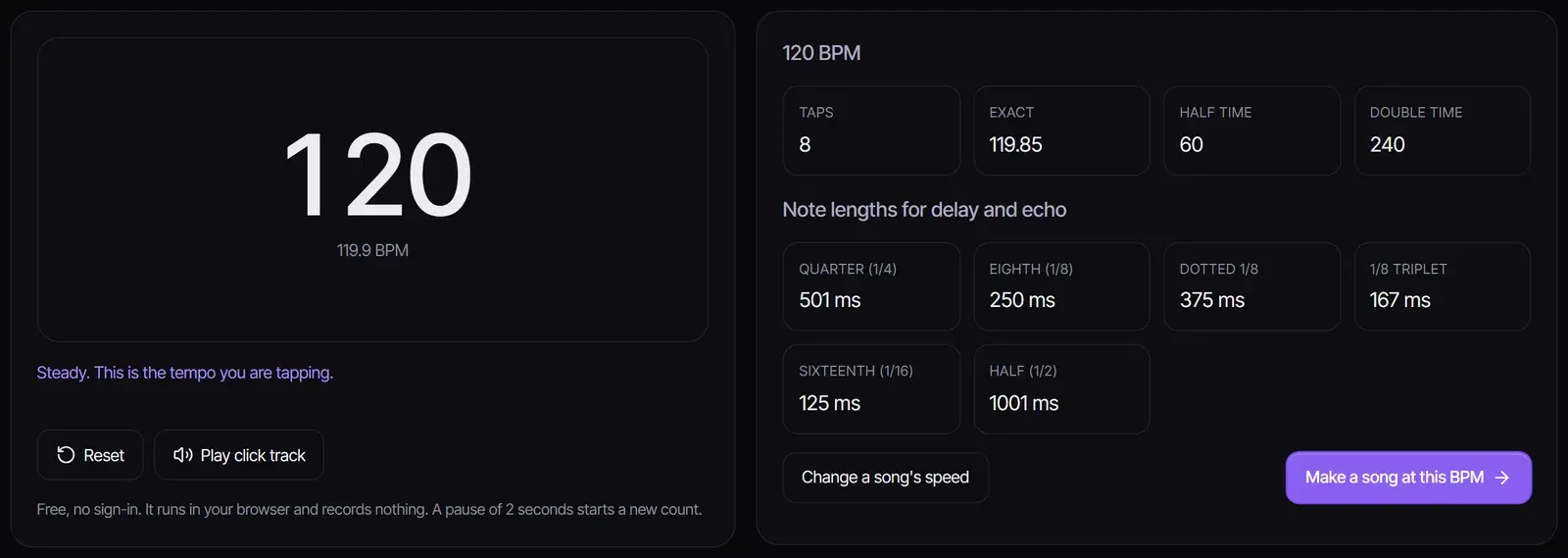
When the status turns Steady, read the BPM. If it feels too fast or too slow, use the half-time or double-time value, play the click track to hear it against the song, and copy the delay times for your effects. Pause for two seconds to start a new count.
Tap tempo or automatic BPM detection?
Tapping is the quickest way to get a tempo when the music is playing somewhere else: a stream, a vinyl record, a live band or a video. Automatic detection is the better choice when you have the audio file and want an exact value. The free Key & BPM Finder analyzes a file in your browser and also finds the key and the Camelot code.
| Method | Best for | What you get |
|---|---|---|
| Tap tempo (this page) | Music playing anywhere, live playing, a quick check | The tempo you tap, averaged over your last eight taps |
| File analysis (Key & BPM Finder) | An audio file you have on your device | The detected BPM, the key and the Camelot code |
How to tap more accurately
- Tap on the drums. The kick or the snare gives a cleaner pulse than the melody or the vocal.
- Tap at least eight times. This tempo tapper averages your most recent intervals, so the reading gets steadier with every even tap.
- Keep going through fills. Drum fills and pauses in the song tempt you to change speed; keep the same pulse.
- Mind the snare. Tapping only on the snare, on beats two and four, gives half the tempo; read the double-time value instead.
- Start over when it goes wrong. If the status says the taps are uneven, pause for two seconds and the count starts again.
Half time and double time
Many songs can be counted at two tempos. A trap beat at 140 BPM is often felt at 70, and a drum and bass track at 174 BPM can be counted at 87. Both readings describe the same grid. The tapper shows both values so you can use the one your DAW, your DJ software or your setlist expects.
Typical BPM by genre
| Genre | Typical tempo (BPM) |
|---|---|
| Ballads | 60–80 |
| Lo-fi hip hop | 70–90 |
| Boom bap hip hop | 85–95 |
| Reggaeton | 90–100 |
| Pop | 100–130 |
| House | 120–130 |
| Techno | 125–140 |
| Trap | 130–150, often felt at half time |
| Dubstep | About 140, with a half-time feel |
| Drum and bass | 160–180 |
Delay times in milliseconds
Delay, echo and sidechain settings are often set in milliseconds. One beat lasts 60,000 ÷ BPM milliseconds: at 120 BPM a quarter note is 500 ms, an eighth note 250 ms and a dotted eighth 375 ms. The tapper works these out for the tempo you tap, including eighth-note triplets and sixteenth notes.
Use the tempo
To move a song to a new tempo without changing its pitch, use the Music Speed Changer. To start a new song at this tempo, select Make a song at this BPM: the AI song maker opens with the tempo in the prompt, ready for you to add a style and lyrics.
Frequently asked questions
How do I find the BPM of a song by tapping?
Play the song, then tap the pad or press the space bar on every beat. The BPM appears after two taps and is reliable after about eight steady taps, because the tapper averages your most recent intervals.
How many BPM taps do I need?
Five or six even taps give a steady reading; eight is better for slow songs. Only your last eight taps count, so a missed tap at the start stops affecting the result.
Why does the BPM jump between two numbers?
Usually the taps are uneven or fall between beats. Keep tapping on the kick or the snare, or pause for two seconds to start over. If the number is half or double what you expect, use the half-time or double-time value.
What is the difference between tap tempo and a BPM counter that analyzes audio?
Tap tempo measures your taps, so it works with any music you can hear. An analyzer reads an audio file and finds the tempo on its own; for files, use the Key & BPM Finder, which also finds the key.
Can I hear the tempo I tapped?
Yes. Select Play click track to hear a metronome at the rounded BPM, with a higher click on the first beat of each bar, and compare it with the song.
Is this tap tempo online tool free?
Yes. It is free with no sign-in, runs entirely in your browser and does not record or upload anything.
Updated October 30, 2026 · Written and reviewed by the Songluna AI team
Make a song at your tempo
New accounts get 8 free credits for the AI song maker. No credit card required.