
Slowed and Reverb Generator
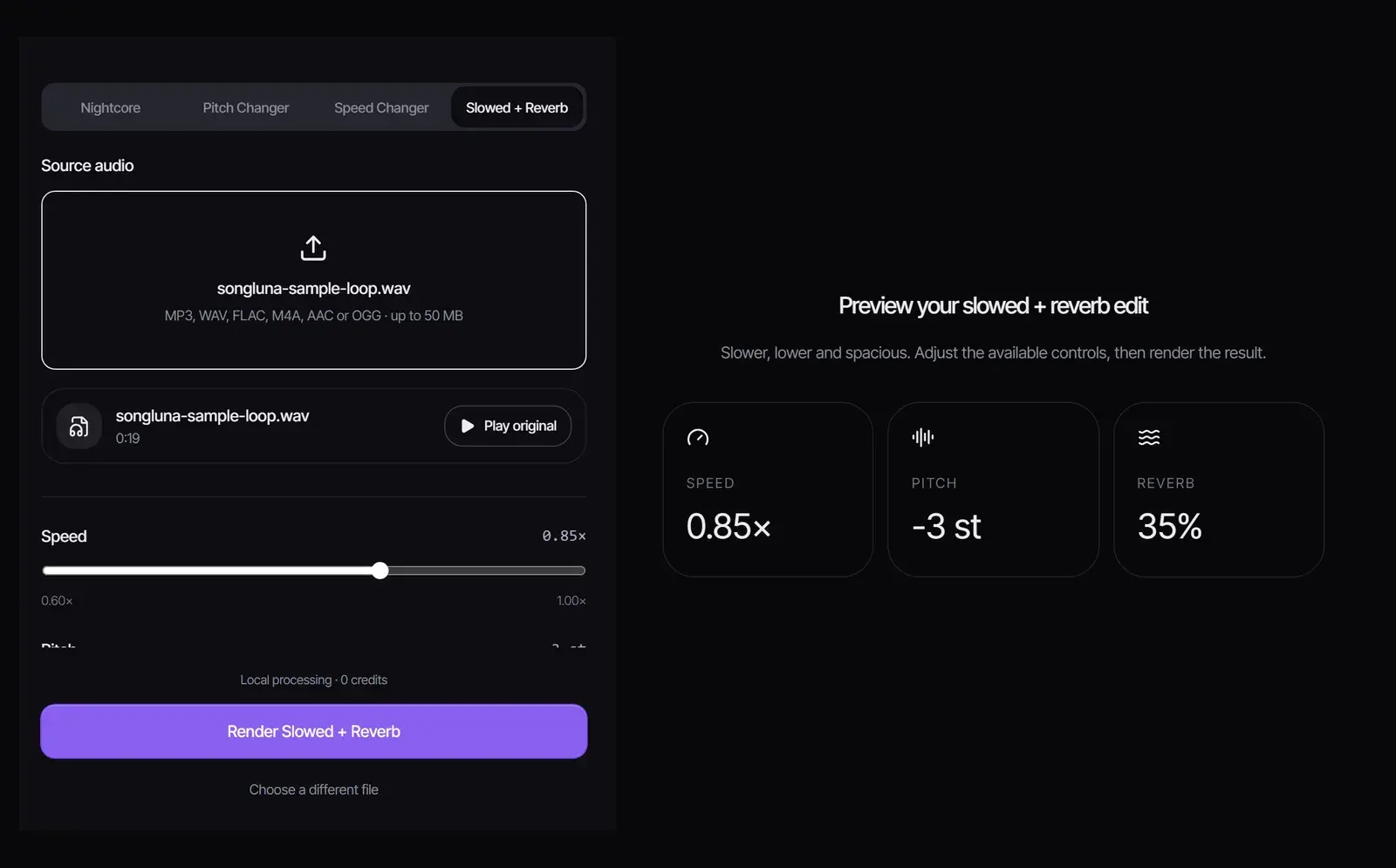
Make a slowed + reverb version of any song file: start from 0.85× speed, −3 semitones and 35% reverb, adjust all three, and download a WAV. Nothing is uploaded.
How to make a slowed and reverb song
- 1
Choose the song
Drop in an MP3, WAV, FLAC, M4A, AAC or OGG file up to 50 MB. Select Play original to hear it first.
- 2
Set the speed, pitch and reverb
The preset is 0.85× speed, −3 semitones and 35% reverb. Speed goes from 0.60× to 1×, pitch from −6 to 0 semitones and reverb up to 80%, each on its own slider.
- 3
Render and download
Select Render Slowed + Reverb, listen with Play result, and select Download WAV. No account or credits needed.
What slowed and reverb is
A slowed and reverb edit, also called slow and reverb, plays a song more slowly, usually at 80% to 90% of its speed, lets the pitch drop with it, and adds a long reverb tail. The result sounds heavier, dreamier and more distant, which is why slowed + reverb versions became a staple of late-night playlists and short videos. The slowed-down sound echoes chopped and screwed, a Houston hip hop technique built on slowing records down.
Slowed and reverb settings that work
| Style | Speed | Pitch | Reverb | Sounds like |
|---|---|---|---|---|
| Subtle | 0.90× | −2 semitones | 25% | A little slower and softer, close to the original |
| Classic | 0.85× | −3 semitones | 35% | The usual slowed + reverb sound (the preset) |
| Dreamy | 0.80× | −4 semitones | 50% | Hazy and spacious; vocals drift into the background |
| Daycore | 0.75× | −5 semitones | 45% | Very slow and deep, the opposite of nightcore |
When a record is simply played slower, 0.85× speed lowers the pitch by about 2.8 semitones, so −3 semitones gives the familiar "slowed" sound. Keep the pitch at 0 for a slowed version that keeps the original key, or lower it further for a deeper voice.
How much reverb to add
- 20% to 35%: space around the vocals while the words stay clear. A good start for most songs.
- 40% to 55%: the dreamy, washed-out sound. Works best on slow songs with long notes.
- 60% and up: an ambient wash; fast rap verses and busy mixes can turn muddy.
Slowed + reverb, slowed, nightcore and daycore
| Version | Speed | Pitch | How to make it |
|---|---|---|---|
| Slowed + reverb | Slower | Lower | This generator |
| Slowed, key kept | Slower | Same | This generator with pitch at 0 and reverb at 0, or the Music Speed Changer |
| Daycore | Much slower | Much lower | This generator with the Daycore settings above |
| Nightcore | Faster | Higher | The Nightcore Maker |
Copyright and slowed + reverb uploads
A slowed + reverb edit still contains the original recording, so uploading one of someone else’s songs without permission can be blocked or claimed by the rights holder. Make edits of your own music, tracks you have licensed, or songs you create with the AI song maker.
Frequently asked questions
How do I make a slowed and reverb song?
Choose the song, keep the 0.85×, −3 semitone and 35% reverb preset or adjust it, select Render Slowed + Reverb and download the WAV.
What speed is slowed and reverb?
Usually 0.80× to 0.90× with the pitch lowered 2 to 4 semitones and 25% to 50% reverb. The preset is 0.85×, −3 semitones and 35%.
Is this slowed reverb maker free?
Yes. Processing runs in your browser, with no account, no credits and no watermark.
Can I make a slowed version without changing the pitch?
Yes. Set Pitch to 0 semitones. Set Reverb to 0% as well for a plain slowed version.
Can I use a YouTube link?
No. It works with audio files on your device.
Is my audio uploaded?
No. The file is decoded and processed in your browser tab.
What format is the result?
A WAV file named after your song with "slowed-reverb" added.
Sources
- Chopped and screwedWikipedia
Updated October 31, 2026 · Written and reviewed by the Songluna AI team
Make your first slowed + reverb edit
Free, with no sign-in. Processing stays in your browser and uses no credits.