
Key Changer and Pitch Changer
A song key changer and pitch shifter: move a song by whole semitones, from 12 down to 12 up, while the tempo stays the same. Processing runs in your browser and saves a WAV file.
How to change the pitch of a song
- 1
Choose the song
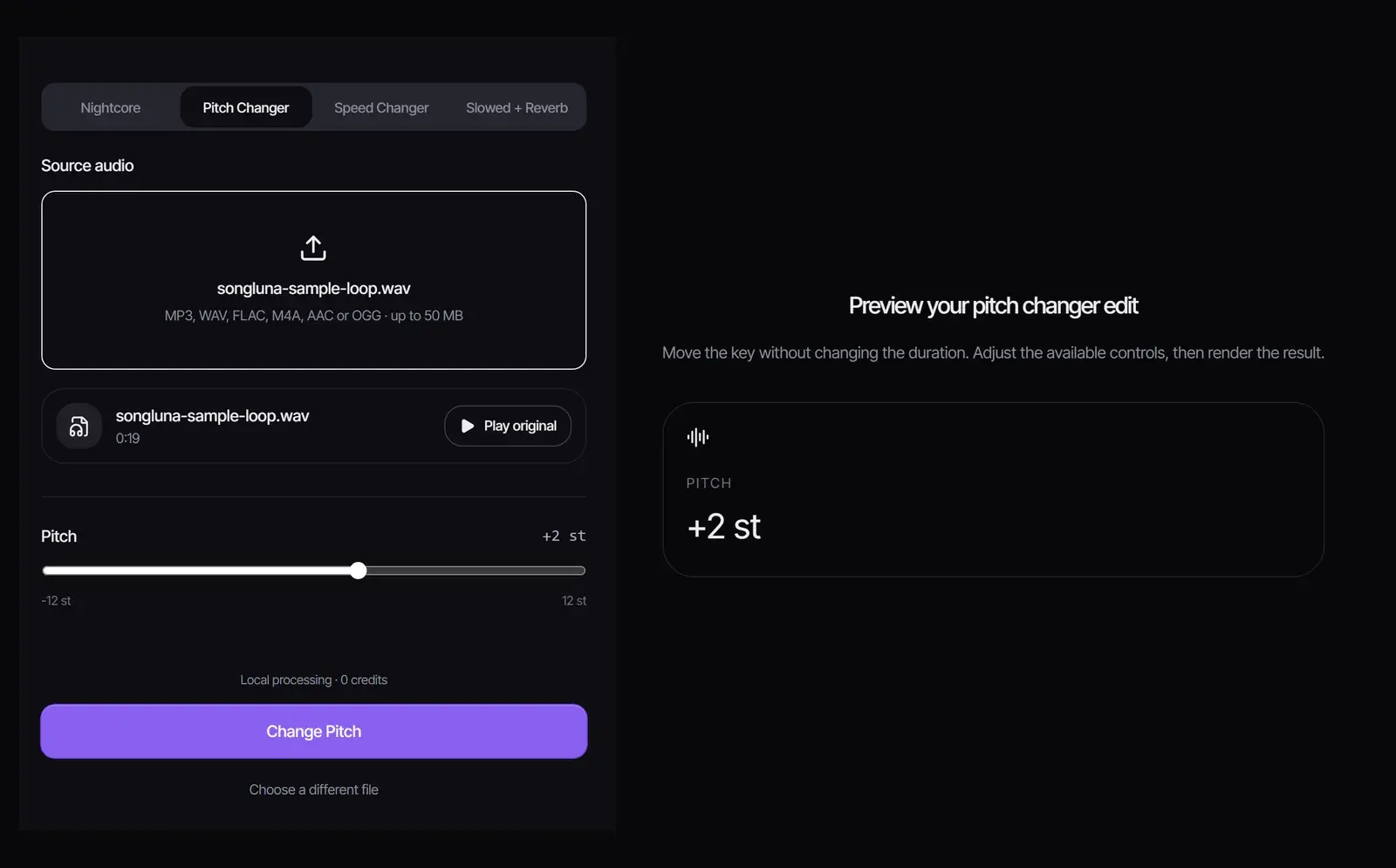
Drop in an MP3, WAV, FLAC, M4A, AAC or OGG file up to 50 MB. Select Play original to hear it first.
- 2
Set the semitones
Drag the Pitch slider anywhere from -12 to +12 semitones. +12 is one octave up and -12 one octave down; the speed stays at 1×.
- 3
Render and download
Select Change Pitch, listen with Play result, then select Download WAV. No account or credits needed.
How many semitones to shift
A semitone is one key on a piano. To move a song to another key, count the semitones between the two root notes. The length of the song stays the same.
| Shift | C major becomes | A minor becomes | Typical use |
|---|---|---|---|
| -3 | A major | F♯ minor | Fit a much lower voice |
| -2 | A♯ (B♭) major | G minor | Sing a song a little lower |
| -1 | B major | G♯ minor | Play along with guitars tuned down a half step |
| +1 | C♯ major | A♯ minor | Match a track a half step higher |
| +2 | D major | B minor | Sing a song a little higher |
| +3 | D♯ (E♭) major | C minor | Fit a much higher voice |
| ±12 | C major, an octave away | A minor, an octave away | Same key in a different register |
Not sure of the original key? Find it first with the Key & BPM Finder.
Pitch changer, speed changer or nightcore maker?
| Pitch Changer | Music Speed Changer | Nightcore Maker | |
|---|---|---|---|
| Changes | Key (pitch) | Tempo (speed) | Tempo and pitch, both up |
| Keeps | Tempo and length | Pitch | Nothing: both rise |
| Range | -12 to +12 semitones | 0.5× to 2× | 1.05× to 1.5× speed, 0 to +6 semitones |
| Use it to | Fit a song to a voice or another track | Practice slowly or match a BPM | Make a nightcore version |
All three run in the same workspace; switch with the tabs at the top, or open the Music Speed Changer and the Nightcore Maker pages.
Change the key for singing or karaoke
- Find the song’s key with the Key & BPM Finder.
- For a backing track, remove the vocals with the Vocal Remover. This step uses credits.
- Shift the instrumental until the chorus sits comfortably in your range. Most singers move 1 to 3 semitones.
- Download the WAV and sing along.
Keeping it sounding natural
- Shifts of 1 to 3 semitones usually sound natural. At 6 or more, voices start to sound thin or cartoonish because their formants move with the pitch.
- Instrumentals and backing tracks tolerate larger shifts than solo vocals.
- Start from the best file you have: WAV or FLAC in gives the cleanest WAV out.
- To change pitch and tempo by different amounts, render one change, download the WAV, then load it into the other tool.
Using songs you have the right to use
Changing the key of a song to practice or sing along is personal use. A pitch-shifted copy of someone else’s recording is still their recording, so publishing it needs permission from the rights holders. Your own songs, and songs you create with the AI song generator, are yours to change.
Frequently asked questions
How do I change the pitch of a song without changing the speed?
Choose the file, set the Pitch slider in semitones and select Change Pitch. The speed stays at 1×, so the length does not change.
How do I change a song to a different key?
Count the semitones between the two root notes, for example C to D is +2, then set that number and render.
Is the pitch changer free?
Yes. Processing runs in your browser, with no account, no credits and no watermark.
Is my audio uploaded?
No. The file is decoded and processed in your browser tab.
Can I shift by cents or half semitones?
No. The tool moves in whole semitones from -12 to +12.
Which formats can I use?
MP3, WAV, FLAC, M4A, AAC and OGG up to 50 MB. The result is a WAV file.
Can I change the pitch and speed at the same time?
The Nightcore Maker raises both together. For other combinations, change the pitch here, download the WAV, and adjust its speed in the Music Speed Changer.
Is my work saved if I refresh the page?
No. The source and result live only in the open tab, so download the WAV before you leave.
Updated October 25, 2026 · Written and reviewed by the Songluna AI team
Change the key of your song
Free, with no sign-in. Processing stays in your browser and uses no credits.