
Music to Prompt
Upload a song you own or may use. AI describes its style, mood and instruments, estimates the key and chords, and writes a prompt you can copy or create from.
How to turn a song into a prompt
- 1
Upload a song
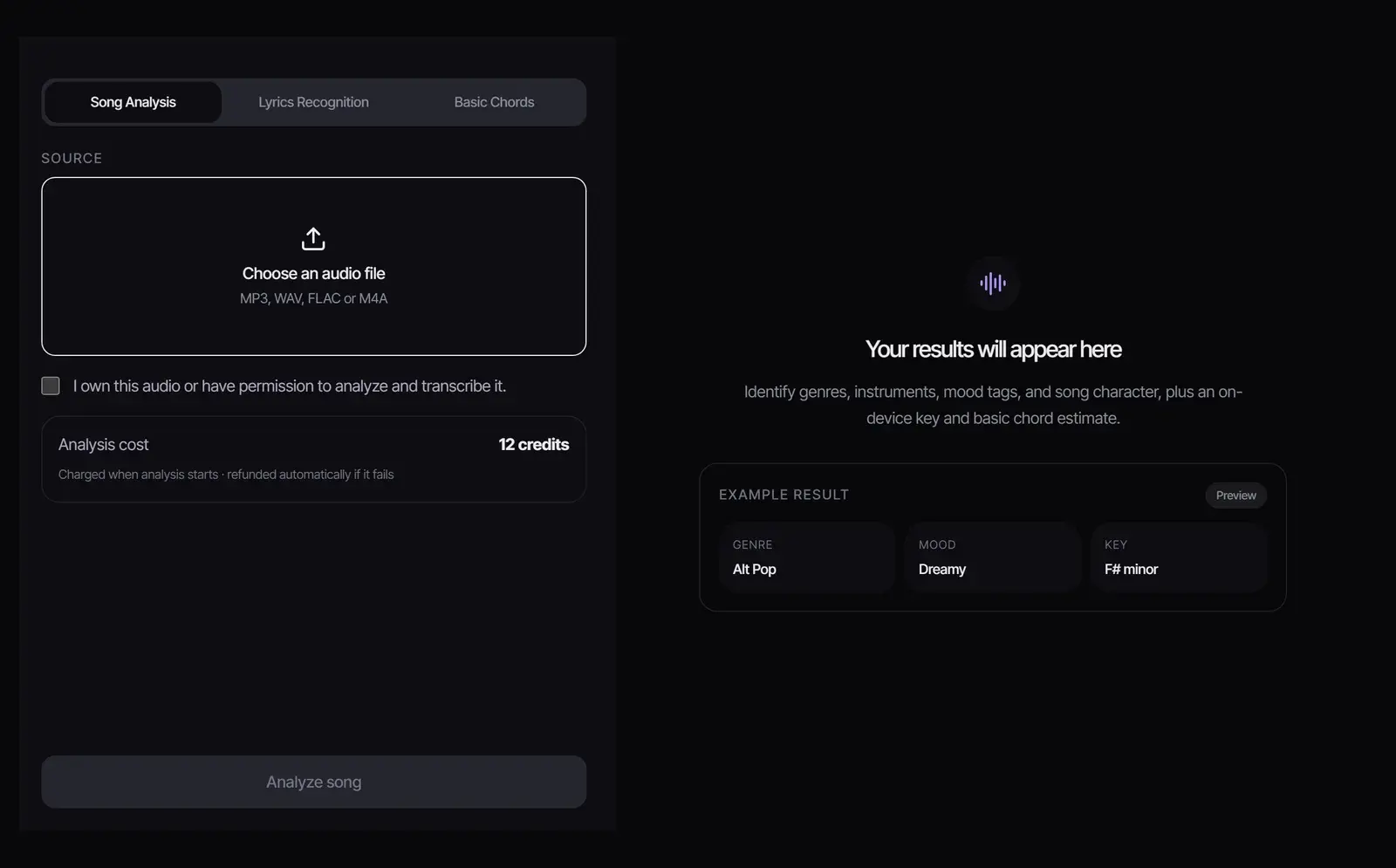
Choose an MP3, WAV, FLAC or M4A file and confirm you own the audio or have permission to analyze it.
- 2
Analyze it
Select Analyze song. Analysis costs 12 credits, charged when it starts and refunded automatically if it fails. You get genres, instruments, mood tags and a short description, plus a key and chord estimate made on your device.
- 3
Copy the prompt or create from it
The result includes a prompt built from the analysis. Edit it, select Copy prompt to paste it into Suno or another model, or select Use in Music Generator to make an original track in the same direction.
What the analysis gives you
Some parts of the result are AI judgements about the sound and some are estimates from the audio signal. The table shows which is which, so you know what to double-check.
| Result | How it is made | Use it for |
|---|---|---|
| Genres | AI inference from the audio | The first words of your style prompt |
| Mood tags | AI inference from the audio | Energy and feel: dreamy, driving, dark |
| Instruments | AI inference from the audio | The sounds to name in the prompt |
| Description | AI inference from the audio | Production direction, in plain words |
| Key and chords | Estimated on your device from the audio signal | Harmony; check it by ear before you rely on it |
| Prompt | Built from the results above | Copy, edit, or create a new track |
Tempo is not measured. Add a BPM to the prompt yourself; models follow a number more reliably than "fast" or "slow".
Music to prompt, or idea to prompt?
Use this page when you start from audio: a reference track, a demo or a song you made. It works as an AI music analyzer first, then turns what it hears into a Suno prompt. If you start from an idea in words, the free Suno Prompt Generator builds style tags and metatags without any upload.
Using the prompt in Suno and other models
- Paste the genres, mood and instruments into the style field and keep it to about 8 to 16 descriptors.
- Add the tempo as a number, and write "instrumental" if you do not want vocals.
- Leave artist and song names out; many models block them, and describing the sound works better.
- Generate a few versions and change one detail at a time.
The Suno prompt guide explains where each part of a prompt goes. To create straight away, select Use in Music Generator and pick a model in the AI song generator.
Analyze music you may use, then make something new
Only upload audio you own or have permission to analyze. A prompt describes a style, which leaves the melody and lyrics of the original behind; still, do not use it to recreate a protected song. Tracks you generate follow your plan: personal use on Free, commercial use for eligible music on Plus and Pro. See Commercial Use.
Frequently asked questions
What is song to prompt or audio to prompt?
Other names for this tool: you give it audio and it writes the text prompt that describes it, the reverse of a prompt generator that starts from an idea.
Can AI turn a song into a prompt?
Yes. Upload the song, and the analysis describes its genres, mood, instruments and key, then writes a prompt from them that you can edit, copy or use to generate a new track.
Is music to prompt free?
Analysis costs 12 credits. New accounts start with 8 free credits, so you need a credit pack or a plan to analyze a song; see the pricing page. If you only have an idea in words, the Suno Prompt Generator is free.
Does it detect the BPM?
No. It estimates the key and chords but not the tempo. Add a BPM to the prompt yourself.
Can I use the prompt on suno.com?
Yes. The prompt is plain text you can paste into Suno or any other music model, or use directly in Songluna AI.
Will the new song sound like the original?
It follows the style the prompt describes, not the melody or lyrics, so each generation is a new track in a similar direction. Do not use it to copy a protected song.
Which files can I upload?
MP3, WAV, FLAC or M4A audio you own or have permission to analyze.
Updated November 2, 2026 · Written and reviewed by the Songluna AI team
Turn a reference track into a prompt
Song analysis costs 12 credits. Plans and credit packs are on the pricing page.