
Suno Prompt Generator
Pick a genre, mood, instruments, vocals and tempo to build a style prompt and a lyrics template, or let AI turn your song idea into fields you can paste.
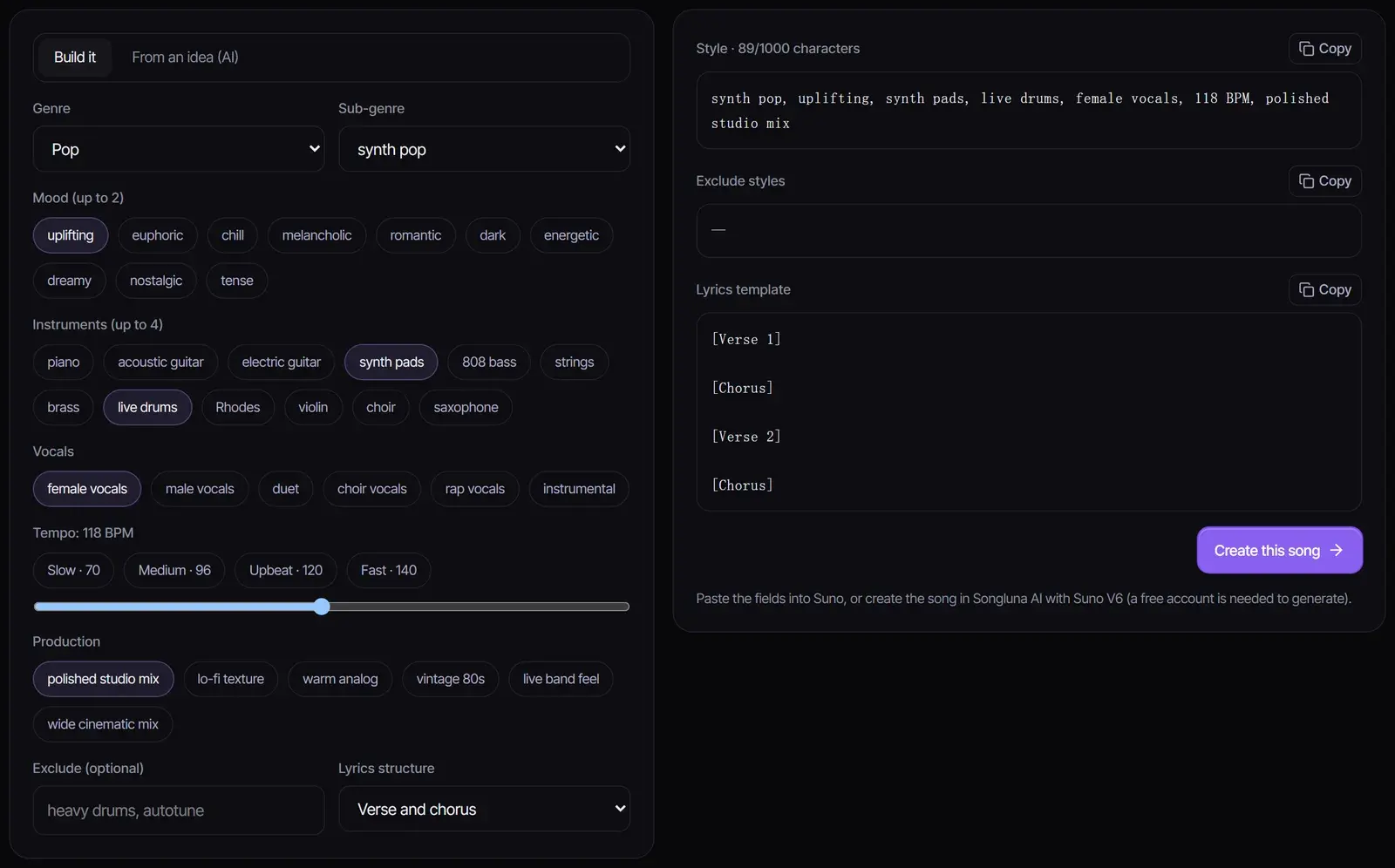
synth pop, uplifting, synth pads, live drums, female vocals, 118 BPM, polished studio mix
—
[Verse 1]

[Chorus]

[Verse 2]

[Chorus]
Paste the fields into Suno, or create the song in Songluna AI with Suno V6 (a free account is needed to generate).
How to write a Suno prompt
- 1
Build the style prompt
Choose a genre and sub-genre, a mood, up to four instruments, the vocals, a tempo and a production feel. The style prompt updates as you click, with a character count.
- 2
Or generate it from your idea
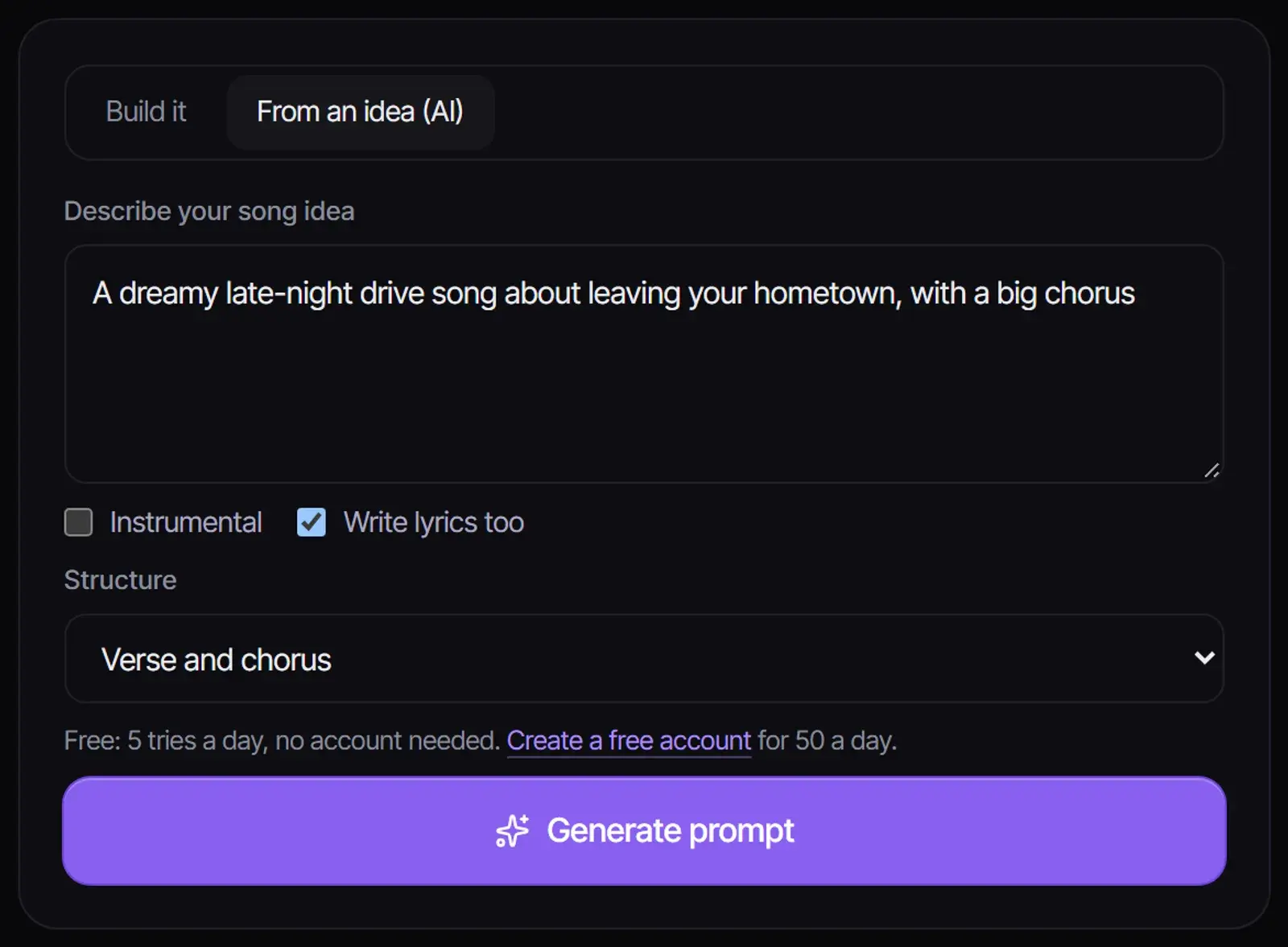
Switch to "From an idea", describe the song in a sentence, and choose whether it is instrumental and whether to write lyrics too. AI returns a title, style, styles to exclude and lyrics or a section template.
- 3
Copy the fields or create the song here
Copy each field into Suno, or select "Create this song" to open the Songluna AI generator with the style filled in, where Suno V6, V5, V4.5 and V4 are available.
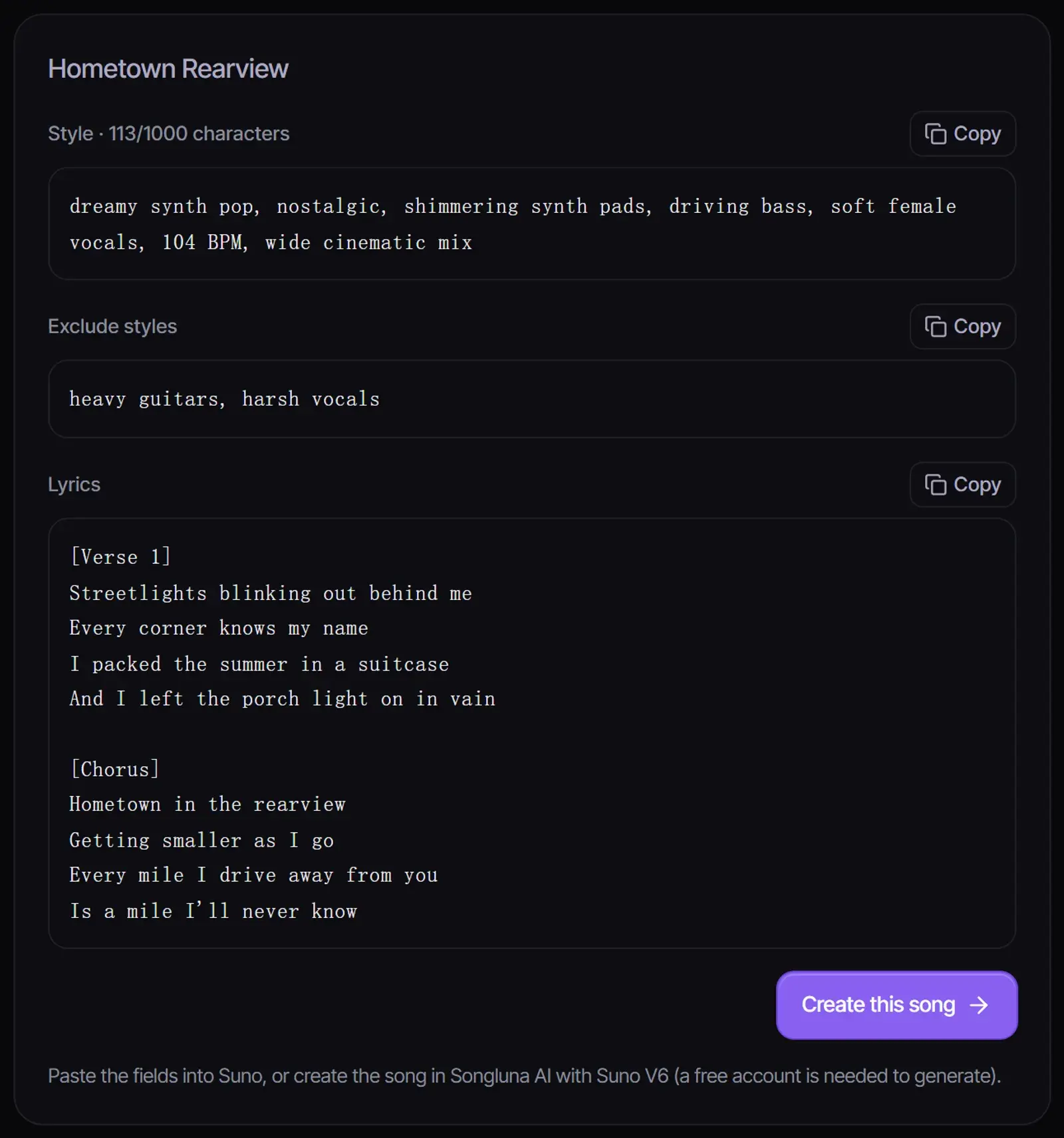
Illustrative prompt output shown in the workspace.
Style, lyrics and exclude: what goes where
| Field | What to put in it | Example |
|---|---|---|
| Style | Genre, mood, key instruments, vocals, tempo and production, as short comma-separated descriptors | indie folk, nostalgic, acoustic guitar, soft female vocals, 96 BPM, warm analog |
| Lyrics | Your words, with a metatag such as [Verse] or [Chorus] on its own line before each section | [Chorus] Paper lanterns, summer light… |
| Exclude styles | Sounds or instruments you do not want | heavy drums, autotune |
In Songluna AI the style field takes up to 1,000 characters on Suno V4.5 and newer, and 200 on Suno V4. Most good style prompts need far less: 8 to 16 descriptors.
Suno prompt examples
| Use | Style prompt |
|---|---|
| Summer pop single | synth pop, euphoric, bright synths, punchy drums, female vocals, 118 BPM, polished studio mix |
| Lo-fi study beat | lo-fi hip hop, chill, Rhodes, vinyl crackle, soft drums, instrumental, 80 BPM, lo-fi texture |
| Breakup ballad | alt r&b, melancholic, warm keys, sparse snaps, male vocals, 68 BPM, intimate mix |
| Game boss theme | epic orchestral, tense, choir, brass, taiko drums, instrumental, 140 BPM, wide cinematic mix |
| Country storytelling | country pop, nostalgic, acoustic guitar, pedal steel, male vocals, 92 BPM, warm analog |
| Club track | house, energetic, four-on-the-floor kick, deep bass, vocal chops, 124 BPM, polished studio mix |
Tips for better Suno prompts
- Lead with the genre. The first descriptors carry the most weight.
- Give a BPM number instead of "fast" or "slow".
- Describe the sound instead of naming an artist; prompts with real artist names are often blocked.
- Stick to one main genre; mixing several usually blurs the result.
- Use Exclude styles to remove what keeps showing up, such as a heavy drum sound.
- Need lyrics first? Draft them with the AI Lyrics Generator.
A free Suno prompt generator, no sign-up needed
The builder runs in your browser with no limits and no account. Generating a prompt from an idea uses AI: 5 a day without an account, after a quick security check, or 50 a day with a free account. Neither uses credits.
Suno is a trademark of its owner. Songluna AI is an independent product and is not affiliated with Suno; Suno models are available inside the Songluna AI music generator.
Frequently asked questions
Is this Suno AI prompt generator free?
Yes. The builder is unlimited and needs no account. Generating a prompt from an idea is free too: 5 a day without an account, 50 with a free one.
What is the character limit for a Suno style prompt?
In Songluna AI the style field accepts up to 1,000 characters on Suno V4.5 and newer and 200 characters on Suno V4. Short, specific prompts usually work best.
Can I use these prompts on suno.com?
Yes. Everything the tool produces is plain text you can paste into any Suno-style model, or use directly in Songluna AI. The genre, mood, instrument and tempo tags also work as an AI music prompt generator for most text-to-music models.
Why does Suno ignore or block artist names?
Many music models block prompts that name real artists. Describe the genre, mood, instruments and vocal style you like about that artist instead.
What are Suno metatags?
Labels in square brackets, such as [Verse], [Chorus] and [Bridge], that mark the sections of your lyrics. Put each one on its own line.
Can I create the song on Songluna AI?
Yes. Select "Create this song" to open the music generator with your style filled in. Suno V6 costs 6 credits per generation, and new accounts get 8 free credits.
Updated November 2, 2026 · Written and reviewed by the Songluna AI team
Create your song with Suno V6
New accounts get 8 free credits. No credit card required.