
Remix maker
Use case example
Track to editable stems
Split a track you have the rights to into stems, then remix and rebuild ideas without starting from a blank session.
Edit workflow
Vocal, drum, bass and instrumental stems for remixing.
Upload a song you own or may use, describe the new style, and get an AI music remix that keeps its musical character. Or combine two tracks in a mashup.
Drop in an MP3, WAV or FLAC file up to 50 MB, or choose a song from your Songluna AI library.
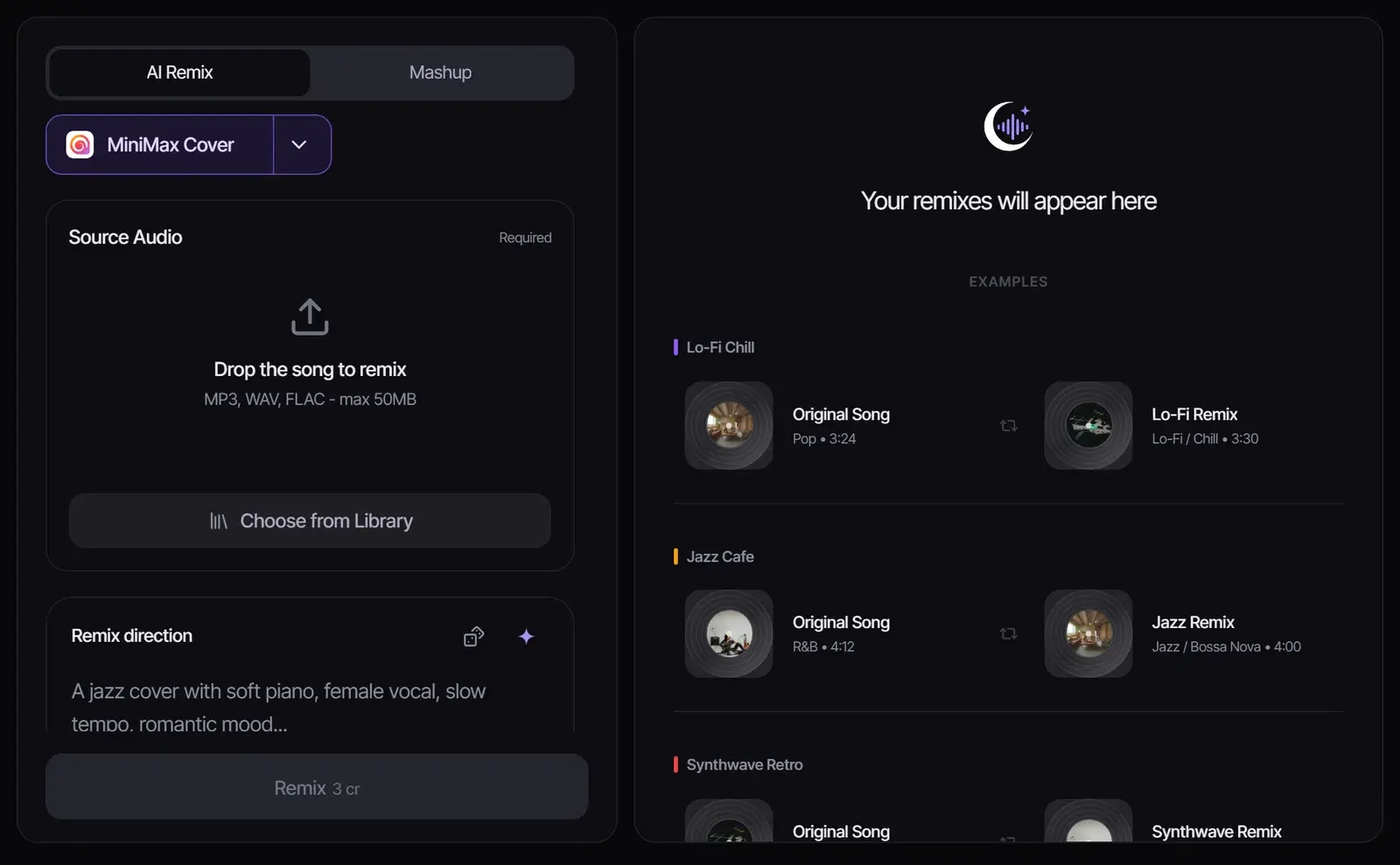
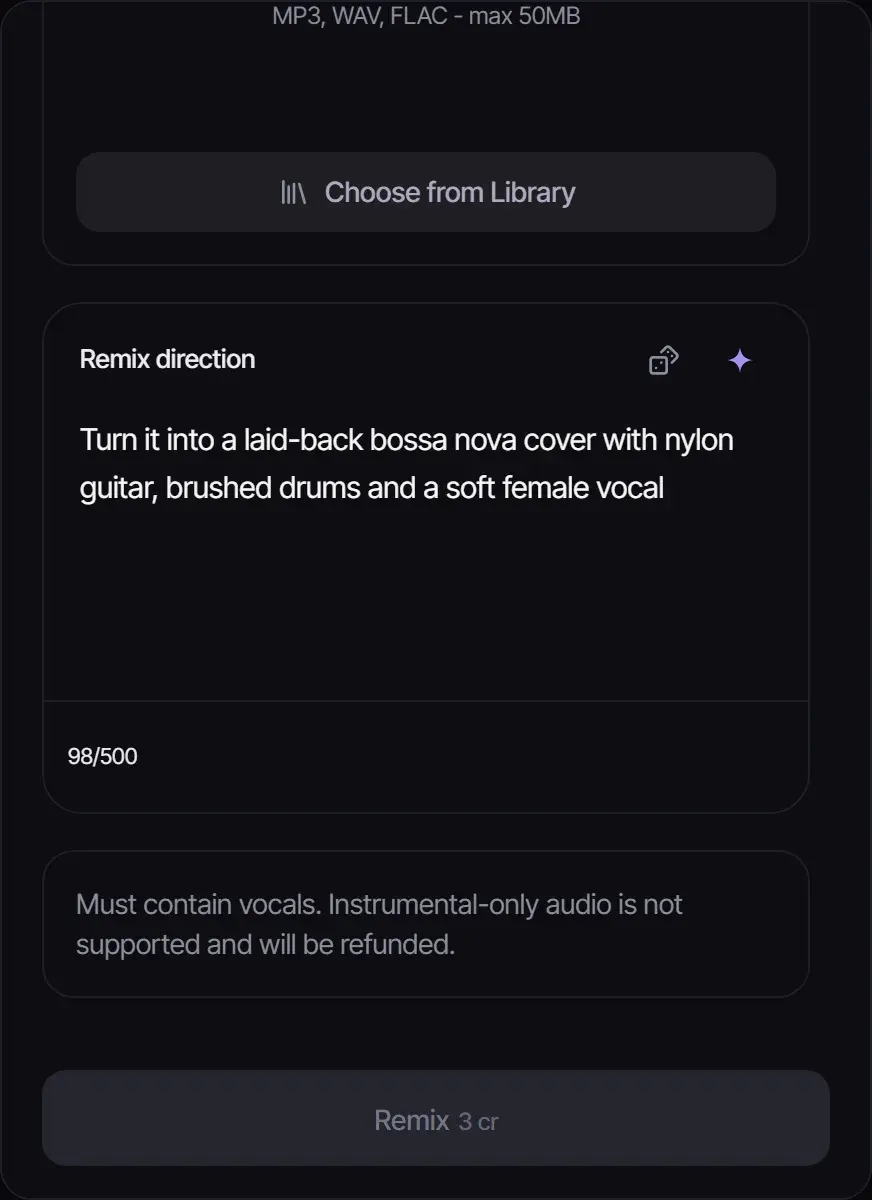
In Remix direction, write the genre, mood, instruments and vocal you want, in up to 500 characters. For example: "a laid-back bossa nova cover with nylon guitar and brushed drums".
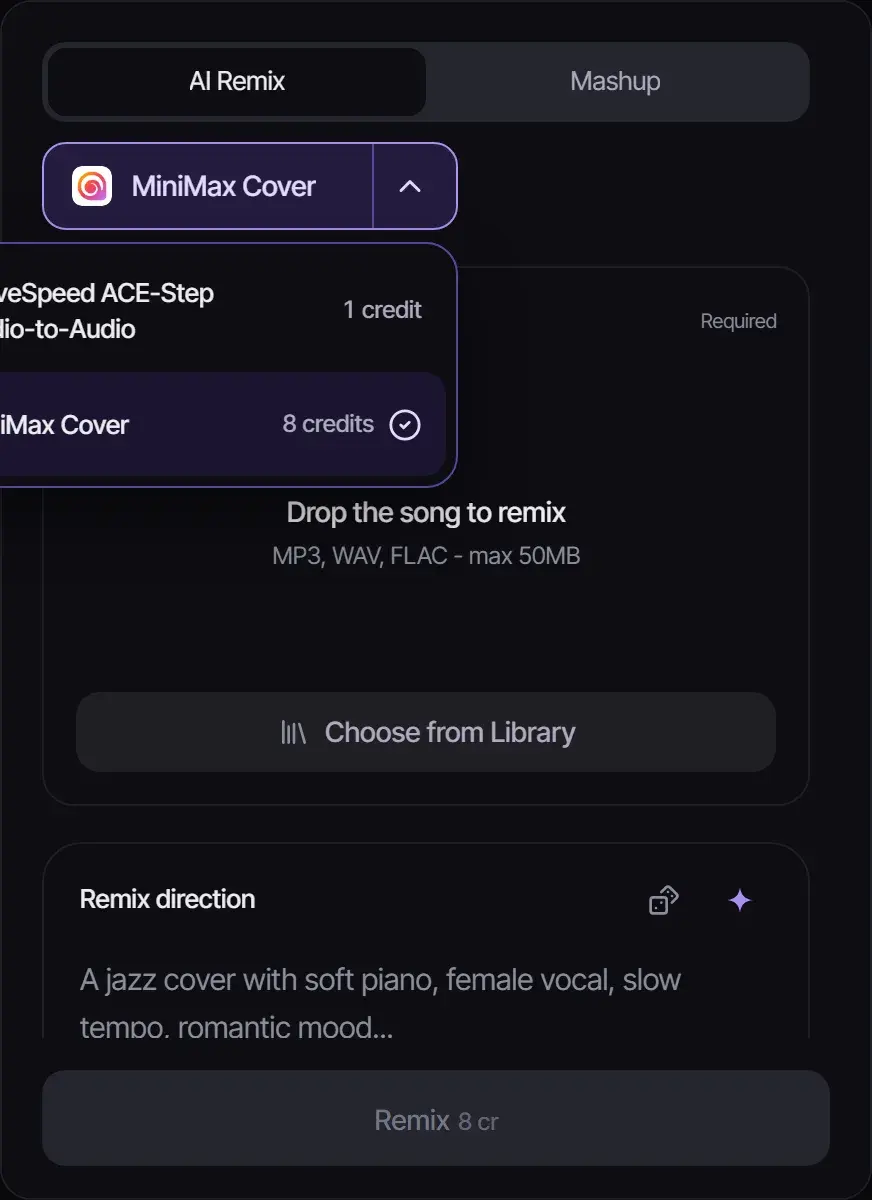
MiniMax Cover (8 credits) remakes songs that have vocals. WaveSpeed ACE-Step Audio-to-Audio (1 credit) works on any audio, including instrumentals. Select Remix and compare the result with the original.
| Mode | What it does | Inputs | Credits |
|---|---|---|---|
| AI Remix | Remakes one song in a new style | One song plus a remix direction | 1 (ACE-Step) or 8 (MiniMax Cover) |
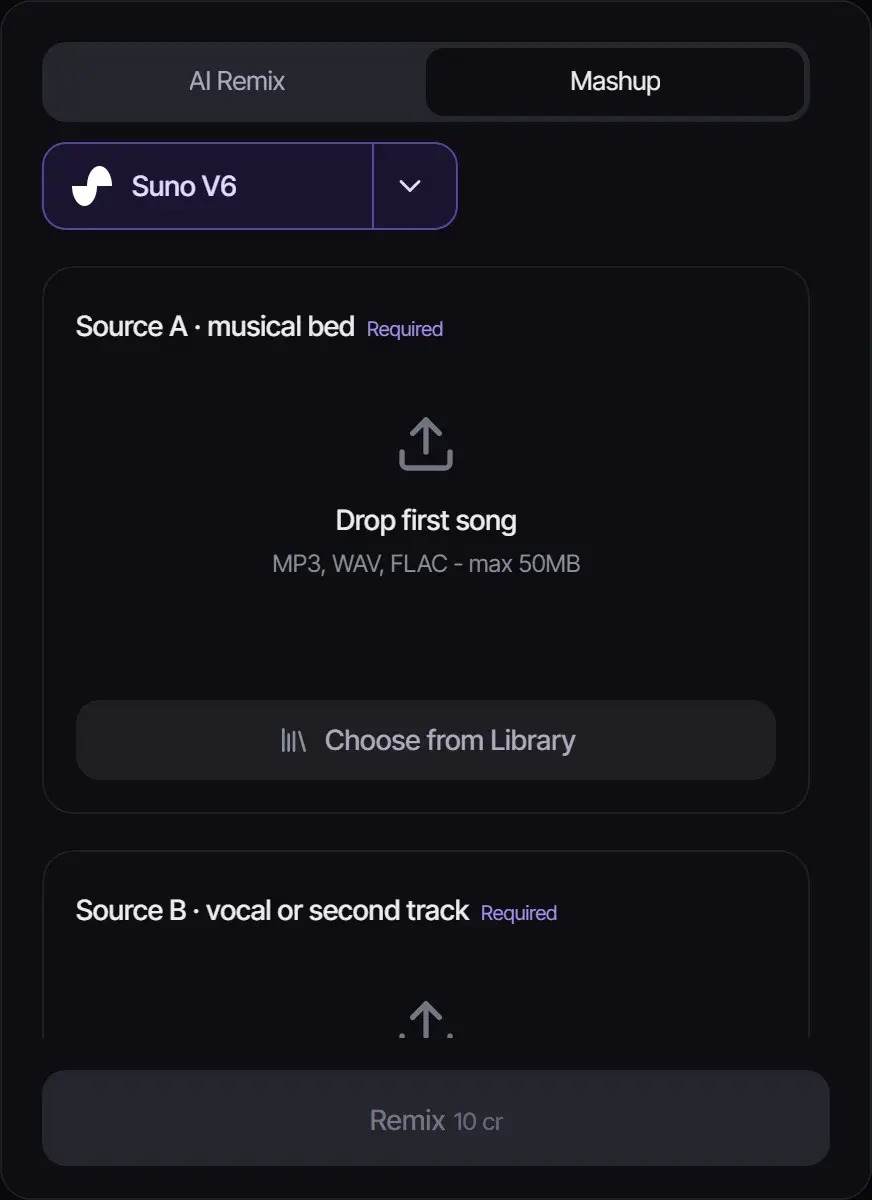
| Mashup | Combines two tracks into one new song with Suno V6 | A musical bed, a vocal or second track, a style and a title | 10 |
| Goal | Remix direction |
|---|---|
| Chill version | Lo-fi hip hop, mellow Rhodes, vinyl crackle, soft boom-bap drums, relaxed |
| Club edit | House, four-on-the-floor kick, deep bass, bright synth stabs, 124 BPM |
| Acoustic take | Stripped-back acoustic, fingerpicked guitar, light percussion, intimate vocal |
| Cinematic | Orchestral, swelling strings, piano, big drums, epic and emotional |
A remix is a derivative work, so remixing someone else’s song and sharing it needs permission from the rights holders. Remix songs you created, own or have licensed, including songs you generated in the AI song generator. What each plan allows when you publish is on Commercial Use.

ACE Step Remix

MiniMax Cover
| Feature | Before | After |
|---|---|---|
| Arrangement | Original song structure: intro → verse → chorus → bridge | Remixed arrangement with new sections, drops, and builds |
| Tempo & groove | Original BPM and rhythmic feel | New tempo and groove matching the target style |
| Sound design | Original instrument sounds and textures | Reimagined with new synth patches, drum sounds, and effects |
Transform any song into a club-ready remix with extended intros, builds, and drops. Perfect for DJs who want unique versions for their sets.
Turn a ballad into an uptempo dance track, or convert an electronic song into an acoustic version. AI handles the complex rearrangement automatically.
Create trending remix versions for TikTok, Instagram Reels, and YouTube Shorts. Stand out with AI-generated remixes that put a fresh spin on familiar tracks.
A remix workflow needs timing, stem control, and a reason for the new version. These examples focus on choosing a usable direction.
Use case example
Track to editable stems
Split a track you have the rights to into stems, then remix and rebuild ideas without starting from a blank session.
Edit workflow
Vocal, drum, bass and instrumental stems for remixing.
Use case example
Hook idea to original sound
Ask for a punchy opening and a timed drop, keep the best version, and cut the video around it rather than reusing a stock loop.
Edit timing
An intro hit, a mid-video drop and an ending to time the edit around.
Use case example
Game scene to loop
Describe a menu screen or a boss fight and get original loops that give a prototype its own sound, instead of free asset-pack music.
Prototype audio
A menu loop and battle cue ideas to test in the build.
Yes. This AI remix generator remakes an uploaded song in the style you describe while keeping its musical character. You can also combine two tracks in Mashup mode.
Remixing music you own or have licensed is fine. Publishing a remix of someone else’s song without permission can infringe their copyright.
To remix a song with AI, upload it, write a remix direction such as "lo-fi hip hop, mellow Rhodes, relaxed", choose a model and select Remix.
New accounts get 8 free credits without a credit card. An ACE-Step remix costs 1 credit and a MiniMax Cover remix costs 8.
MiniMax Cover re-sings the song in the new style, so it needs a vocal to follow. Instrumental-only uploads are refunded; use ACE-Step for those.
Yes. Mashup mode combines a musical bed with a vocal or second track into a new Suno V6 song for 10 credits, once you confirm you may use both.
Updated November 2, 2026 · Written and reviewed by the Songluna AI team
New accounts get 8 free credits. No credit card required.