
How to Remix a Song: A Step-by-Step Guide (2026)
How to remix a song: what a remix is, how to get the stems, match the BPM and key and build a new track, or remix with AI, and when you can release it.
A remix takes a song you love and turns it into something new: a ballad becomes a house track, a pop song becomes lo-fi, a rap verse gets a drill beat. You can remix a song the producer's way, by rebuilding it around its parts in a music app, or the quick way, by describing a new style to an AI remixer. This guide shows how to make a remix of a song both ways, plus the step most guides skip: when you are allowed to share the result.
What is a remix?
A remix is a new version of a song made from parts of the original recording, most often the vocal. The remixer keeps what makes the song recognizable and changes the rest: the beat, the chords, the tempo, the genre. That is different from:
- A cover: the song is performed again from scratch, by a new singer or band.
- A mashup: parts of two or more songs are combined into one.
- An edit: the original is rearranged, extended or sped up without new music.
An official remix is commissioned or approved by the artist; a bootleg is made without permission.
How to remix a song: the short version
- Choose a song you are allowed to remix.
- Find its BPM and key.
- Get the parts: official stems, or separate the vocal yourself.
- Pick a new style and tempo.
- Build new drums, bass and chords around the vocal, in the same key.
- Arrange, mix and export.
Step 1: Choose a song you can use
The easiest songs to remix are your own, songs with official stems released for remix contests, and tracks you have licensed. You can practice on any song for yourself, but releasing a remix needs permission, as explained below.
Step 2: Find the BPM and key
Every new part has to fit the original vocal, so start with its tempo and key. Upload the song to the Key & BPM Finder, or tap along with the BPM Tapper. The BPM guide explains half time and double time, which matters when you change genres.
Step 3: Get the parts
Official stems (separate files for vocals, drums, bass and the rest) give the cleanest remix. Without them, separate the song yourself: the Vocal Remover gives you the acapella and the instrumental, and the Stem Splitter splits vocals, drums, bass and other parts. For a remix, the vocal is usually all you need.
Step 4: Pick a new direction
Decide what the remix should feel like, then set the tempo to match:
- Pop ballad to house: speed the vocal up to about 120–126 BPM and add a four-on-the-floor kick.
- Upbeat song to lo-fi: slow it to 70–90 BPM, add mellow keys and a dusty beat.
- Any song to drum and bass: keep the vocal at half time over a 170 BPM beat.
- Sad song to slowed + reverb: slow it, lower it and add space with the Slowed and Reverb Generator.
To change the vocal's tempo without changing its pitch, use the Music Speed Changer; to move it into a different key, the Pitch Changer.
Step 5: Build the new track around the vocal
Load the vocal into a music app (a DAW) and write new parts in the song's key: drums first, then bass, then chords. The Chord Progression Generator gives progressions in any key that you can download as MIDI and drop into your project. Arrange the remix in sections: an intro, a build, the main section or drop, a break and an outro. A remix does not need every line of the original; often one strong hook carries it.
Step 6: Mix and export
Balance the vocal against the new parts, cut low frequencies from everything except the kick and the bass so they do not clash, and export a WAV. Listen on headphones, a speaker and a phone before you share it.
The quick way: remix a song with AI
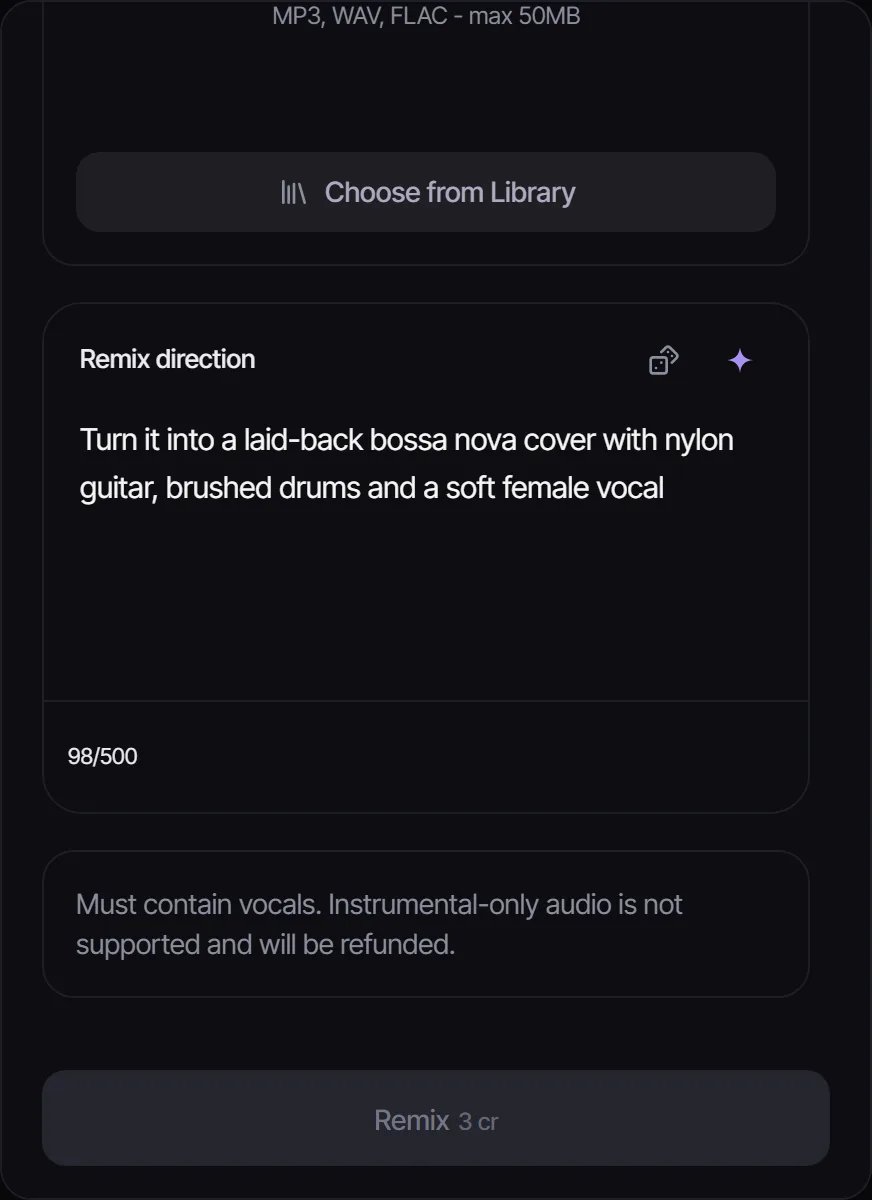
The AI Song Remixer remakes a song in the style you describe, without a DAW:
- Upload an MP3, WAV or FLAC file up to 50 MB, or pick a song from your Songluna AI library.
- Write a remix direction, such as "a laid-back bossa nova cover with nylon guitar and brushed drums".
- Choose a model: ACE-Step works on any audio for 1 credit; MiniMax Cover re-sings songs that have vocals for 8 credits.
Mashup mode combines a musical bed with a vocal or a second track into a new song. To make the remix longer, add an intro or outro with the AI Music Extender; to hear the song sung in a new voice instead, try the AI Cover Song Generator.
Can you release a remix of someone else's song?
A remix is a derivative work, so publishing or selling a remix of someone else's song needs permission from the rights holders, usually the label and the publisher. Remix contests and official stem packs come with terms that say what you may do. Remixing for practice and keeping it to yourself is a different matter from uploading it. Songs you create yourself, including songs made with the AI song maker, are the safest material: paid plans (Plus and Pro) include commercial-use rights for eligible music. This is general information, not legal advice.
Frequently asked questions
How do I make a remix of a song for free?
Separate the vocal, find the BPM and key with free browser tools, and build new parts in a free DAW. New Songluna AI accounts also get 8 free credits, enough for several AI remixes with ACE-Step.
What do I need to remix a song?
The song's vocal or stems, its BPM and key, and a music app to build new parts in. With an AI remixer, you only need the song and a description of the new style.
Can AI remix a song?
Yes. An AI remixer remakes an uploaded song in a style you describe, such as lo-fi, jazz or house, while keeping its musical character.
How long should a remix be?
Club remixes are often five to seven minutes with long intros and outros for DJs; remixes for streaming and social video are usually two to four minutes.
Is it legal to remix a song?
Remixing for yourself is generally treated differently from publishing. To share or sell a remix of someone else's song, you need permission from the rights holders.