
AI 8 Bit Music Maker
Describe a retro game scene and generate a finished chiptune-style audio track. Start from a scene preset, choose the duration and listen to the original examples below before making your own.
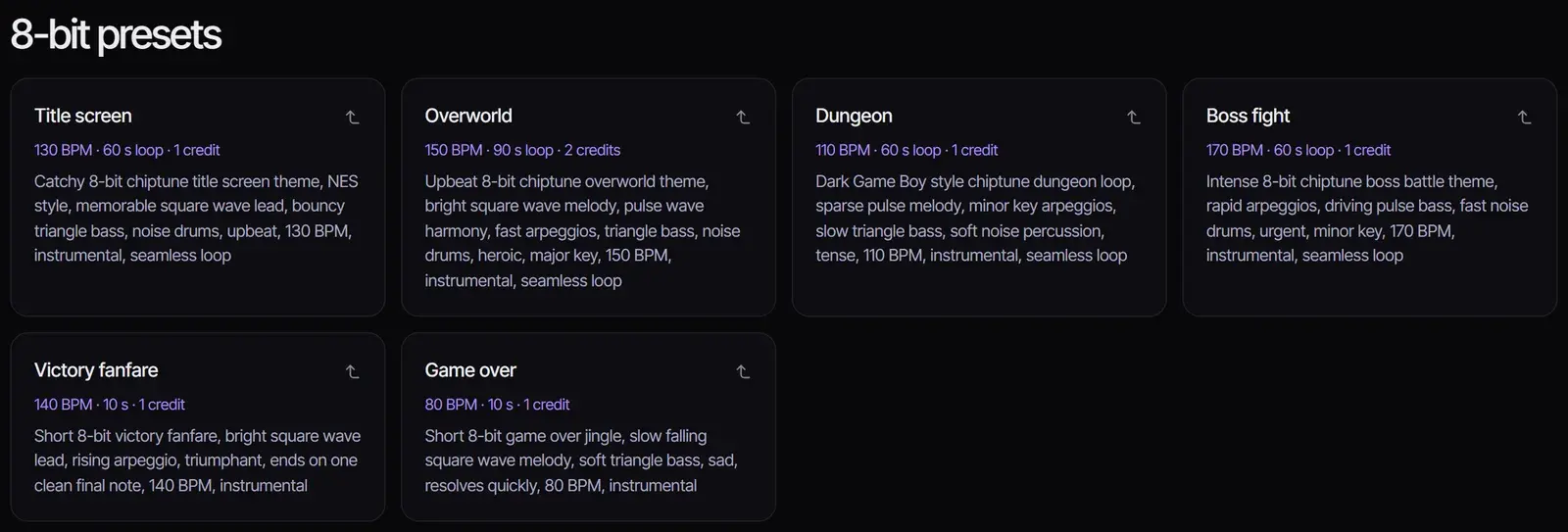
8-bit presets
Each demo is one unedited ACE Step 1.5 take of its preset, generated on October 31, 2026. Your results will differ every time you generate.
How to make 8-bit music with AI
- 1
Pick a scene preset
Choose a preset under the workspace, such as Overworld or Boss fight. It fills in the prompt, selects ACE Step 1.5 and sets the length. Or write your own: name the style (8-bit or chiptune), the scene, the tempo and the chip sounds you want.
- 2
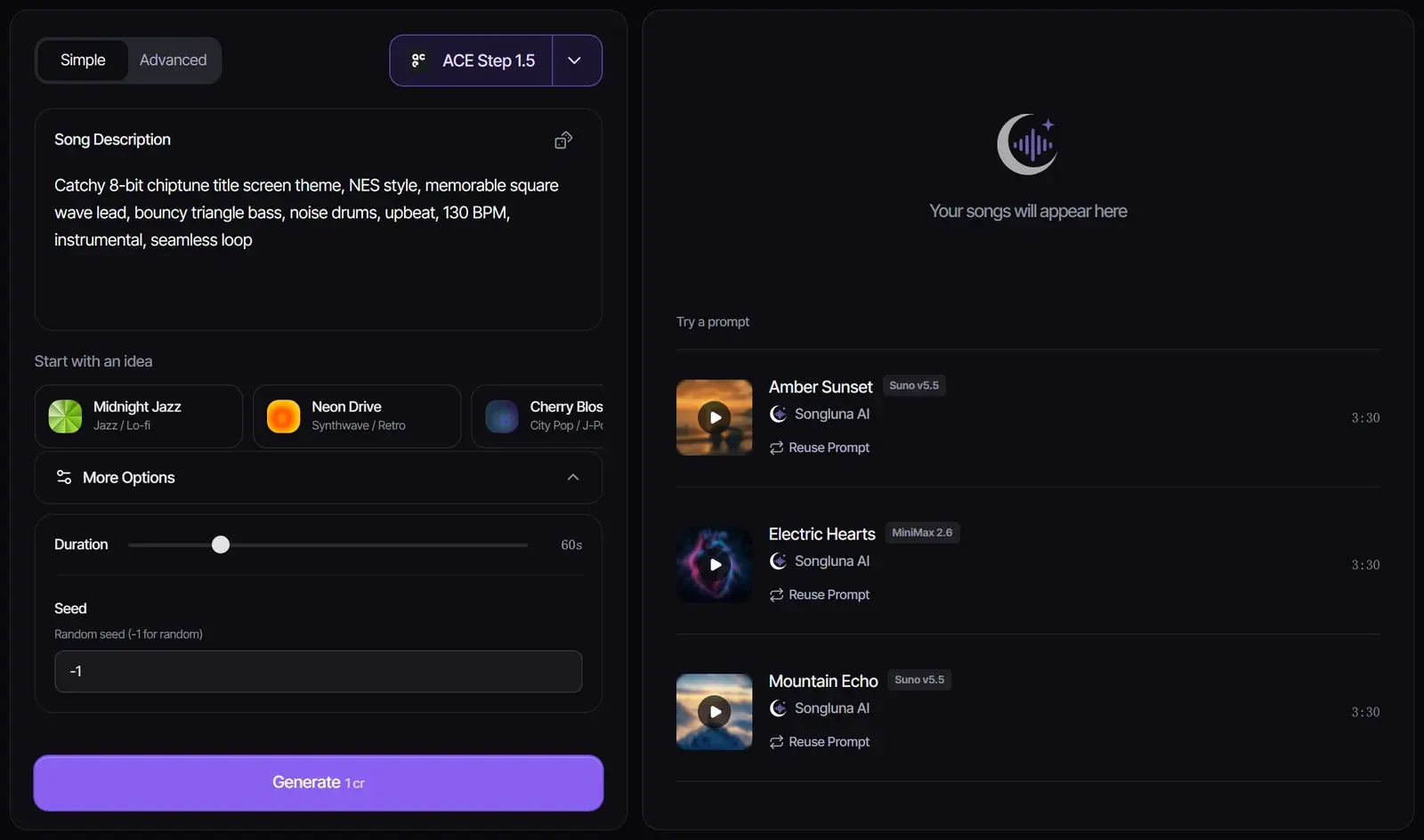
Set the length and model
With ACE Step 1.5, open More Options and set the length from 10 seconds to 4 minutes; it costs 1 credit per started minute. For a full chiptune song with vocals, switch to Suno V6 (6 credits).
- 3
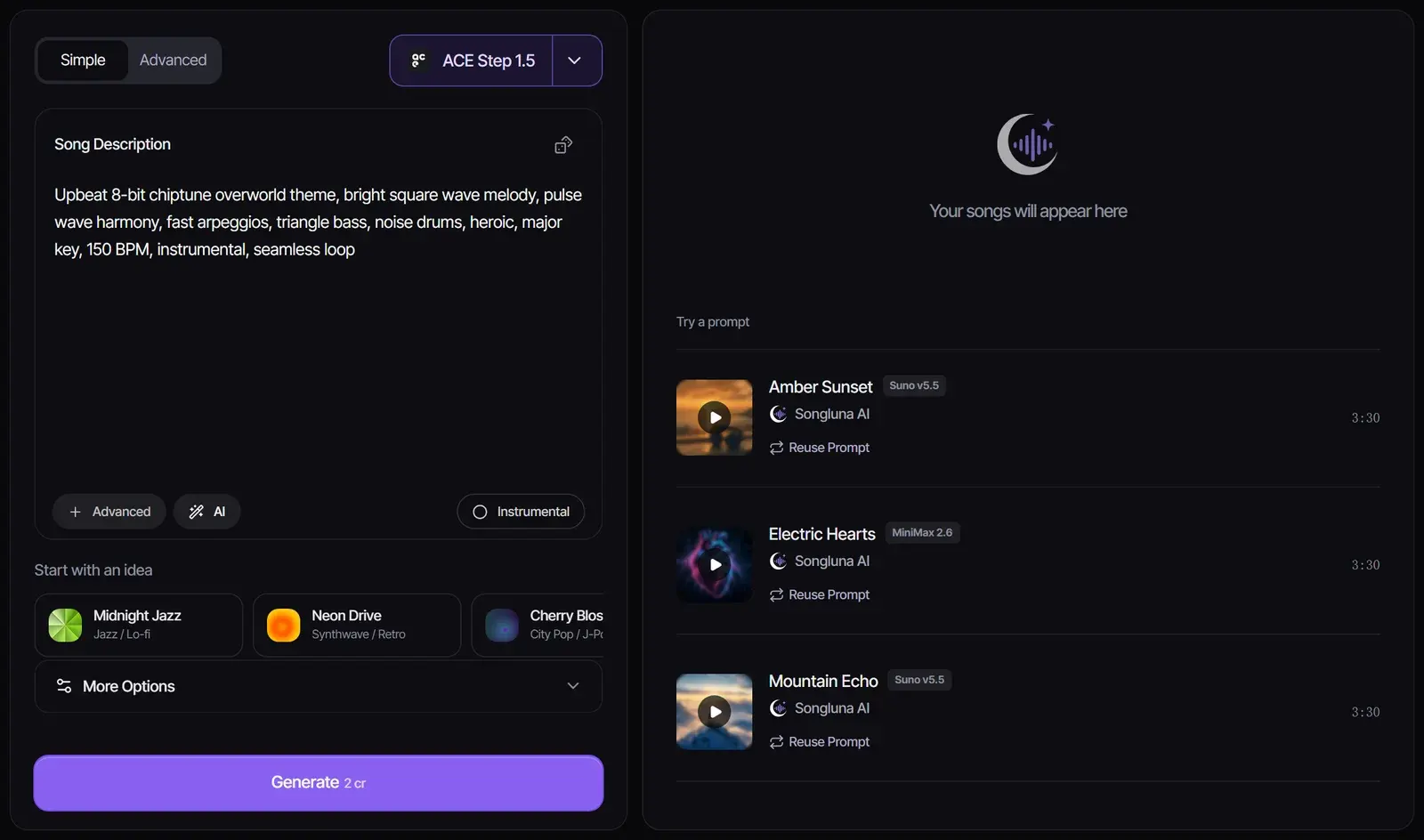
Generate and listen
Select Generate. The track appears in your results, where you can play it, download it, or generate again with a small change to the prompt.
What makes music sound 8-bit
"8-bit" describes the sound of 1980s consoles and home computers, not the bit depth of the audio. Their sound chips had only a few channels, each playing one simple waveform at a time, so composers used fast arpeggios in place of chords and built drums from noise.
| System | Channels | What they play |
|---|---|---|
| NES (Ricoh 2A03) | 5 | Two square waves, a triangle wave, noise and a low-fidelity sample channel |
| Game Boy | 4 | Two pulse waves, a programmable wave channel and noise |
| Commodore 64 (SID) | 3 | Three voices, each a triangle, sawtooth, pulse or noise wave, through an analog filter |
As a chiptune generator, Songluna AI creates finished audio in this style from your description. For editing individual notes, patterns or sound-chip channels, a sequencer such as BeepBox provides that kind of control. Songluna outputs an audio track; original-console playback and tracker-file export need a separate tracker workflow.
8-bit music for every game scene
Pixel game music is written for a moment on screen. These starting points match the presets above; adjust them to your game.
| Scene | Tempo | Sound to ask for | Length |
|---|---|---|---|
| Title screen | 120–140 BPM | A catchy square-wave hook over a bouncy triangle bass | 30–60 s loop |
| Overworld | 140–160 BPM | A bright, major-key lead with fast arpeggios | 60–120 s loop |
| Dungeon or cave | 90–120 BPM | A sparse minor-key melody and soft noise percussion | 60–120 s loop |
| Boss fight | 160–180 BPM | Driving bass, rapid arpeggios and urgent drums | 60–90 s loop |
| Victory | 130–150 BPM | A short rising fanfare that ends on one clear note | 10–15 s |
| Game over | 70–90 BPM | A slow, falling phrase that resolves quickly | 10–15 s |
For sound effects such as coin pickups, jumps and lasers, use the AI Sound Effect Generator and describe the sound as 8-bit.
Making a track loop
- Write "seamless loop" in the prompt and keep one steady tempo.
- The model writes music that can repeat, but it does not guarantee a perfect loop point. Trim the start and end in your editor, or set the loop region in your game engine.
- Need a longer piece? Add a new section with the AI Music Extender.
Prompt tips for chiptune
- Start with "8-bit chiptune", or name a system: NES style or Game Boy style.
- Name the chip sounds: square or pulse lead, triangle bass, noise drums, fast arpeggios.
- Give a BPM and a mood, and write "instrumental" unless you want vocals.
- Say which scene the music is for; it shapes tempo and key more than adjectives do.
- Describe a sound instead of naming a game or composer. Asking for a specific game’s theme can produce something too close to protected music.
Want a fuller, later sound? Ask for "16-bit": FM synth leads and sampled instruments, like early-1990s consoles.
Which model to use
| Model | Credits | Length | Best for |
|---|---|---|---|
| ACE Step 1.5 | 1 per started minute | 10 seconds to 4 minutes, set by you | Instrumental loops, menu and level music |
| Suno V6 | 6 | Up to 8 minutes | Full chiptune songs, including vocals |
The presets turn the workspace into a quick 8-bit music maker: they use ACE Step 1.5 so you can try several ideas for little cost. Every model in the AI song generator also accepts an 8-bit prompt.
Using 8-bit music in a game or video
Music made on Plus or Pro includes commercial-use rights for eligible music, so you can use it in a released game, a monetized video or a stream; Free-plan music is for personal use. Classic game soundtracks are still protected by copyright, so do not upload or recreate them. See Commercial Use.
Frequently asked questions
Is there a free 8-bit music generator?
Yes. New accounts get 8 free credits without a credit card, and a one-minute ACE Step 1.5 track costs 1 credit, so you can make up to eight short tracks for free. Free-plan music is for personal use.
Is this real chiptune made on a sound chip?
No. The AI generates audio that sounds like chiptune, using the same ingredients: square and triangle waves, noise drums and fast arpeggios. For music that runs on the original hardware, use a tracker such as FamiTracker or FamiStudio for the NES, or LSDj on a Game Boy.
Can I make 8-bit loops for my game?
Yes. Pick a loop preset or ask for a seamless loop, set the length, then trim the loop point in your editor or game engine. The model does not guarantee a perfect loop.
Can I use AI 8-bit music in my game or videos?
On Plus and Pro, eligible music includes commercial-use rights. Free-plan music is for personal use. Check each platform’s rules on disclosing AI-generated content.
Can I turn a song into 8-bit?
Not on this page, which makes new music. To restyle a song you have the rights to, upload it to the AI Song Remixer and describe an 8-bit chiptune style.
What is the difference between 8-bit and 16-bit music?
8-bit music imitates 1980s sound chips with a few simple waveforms. 16-bit music, from early-1990s consoles, adds FM synthesis and sampled instruments, so it sounds fuller. Write "16-bit" in your prompt for that sound.
Sources
- AudioPan Docs (Game Boy technical reference)
- Ricoh 2A03Wikipedia
- MOS Technology 6581Wikipedia
Updated November 2, 2026 · Written and reviewed by the Songluna AI team
Try AI 8 Bit Music Maker free
New accounts get 8 free credits. No credit card required.